Libretto
An Android app that helps parents store their child's health documents, find them fast, and show them when someone asks.
2 usability studies, 9 participants, 6 problems found and addressed
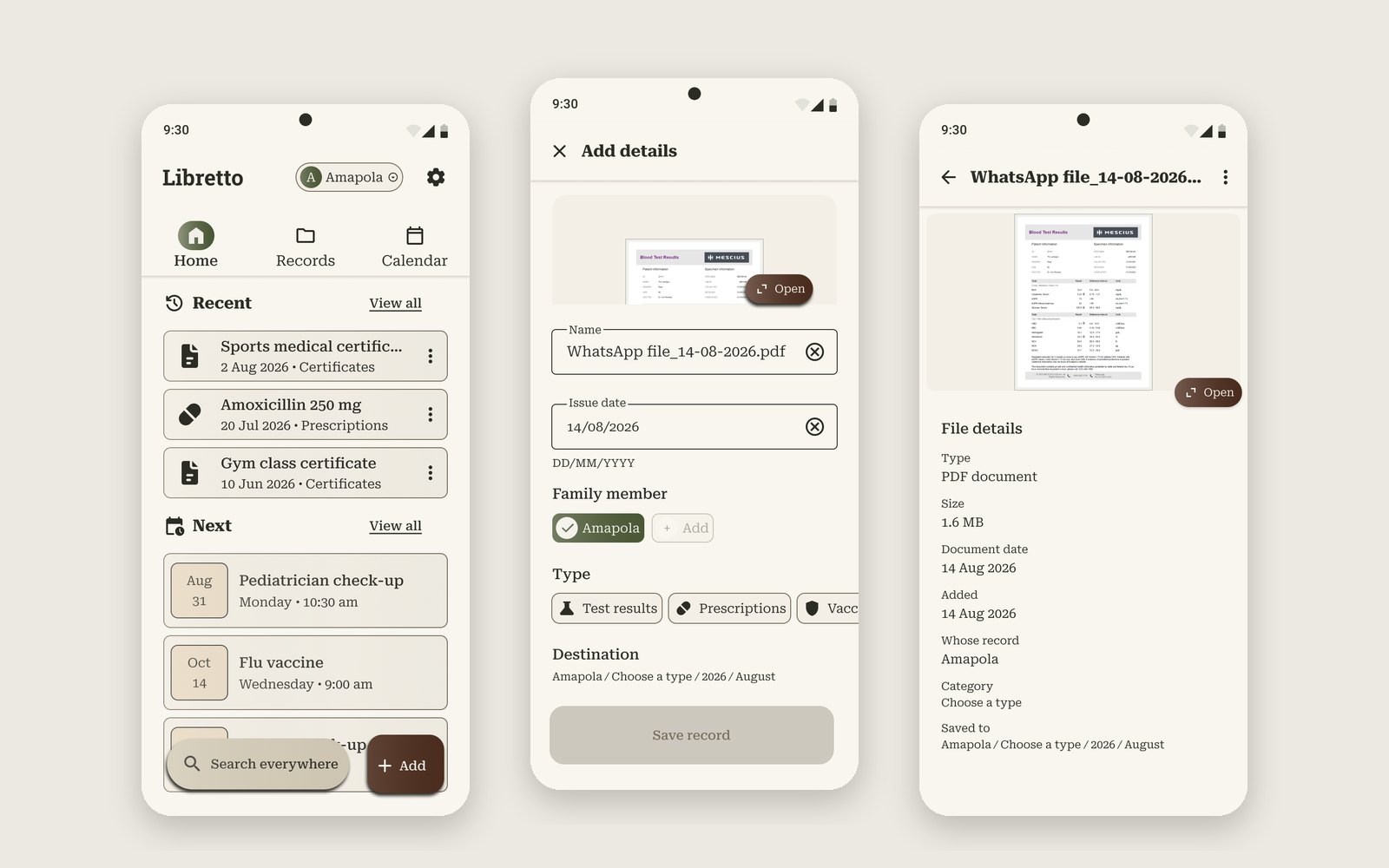
👀 At a glance
The problem
A school or a doctor asks for a vaccination card or a test result at short notice. Parents keep these documents in paper folders, phone galleries and chats, and losing one can mean a missed vaccine or a repeated test.
My role
Solo, end to end: interviews, personas, wireframes, two usability studies, the visual design, a 43-component design system and the clickable prototype.
Six problems, six design changes
| Problem found in testing | Seen in | What I changed |
|---|---|---|
| The details screen didn't say what to do | 5 of 5 | A short, familiar form with a Name field |
| Unsure the file had been saved | 1 of 5 | Save confirmed on Home, with the file in Recent |
| Home mixed files and appointments | 2 of 5 | Three tabs: Home, My files, Calendar |
| Couldn't open a record after saving it | 4 of 4 | A Record details screen with a preview |
| "Destination" made no sense | 3 of 4 | Pick who it's for; the saved path is shown in plain words |
| The app chose the child without asking | 2 to 3 of 4 | The child's name and a switcher in the top bar |
🧩 The problem
Parents need their children's health documents at unexpected moments: a school form due today, a new specialist, a vaccine appointment. In my interviews, those documents lived in binders, paper notebooks, phone photos, WhatsApp chats and cloud folders, often all at once.
It's crazy to depend on only one physical copy.
An interviewee, about her baby's paper vaccination calendar
Health systems don't always help. Some clinics don't share records, so every new doctor means starting again. One father told me his five-month-old daughter had already been seen in at least five different places.
The core job: store a document quickly, find it reliably, and show it when someone asks.
How the brief narrowed
My starting brief was broad: let parents review their children's records, print them for school or camp, and see when visits are due. Interviews showed that everything else depends on one thing working first: getting a document in and back out again. I kept printing and appointments for Pablo, the secondary persona, and later work.
🔍 Research
What I did
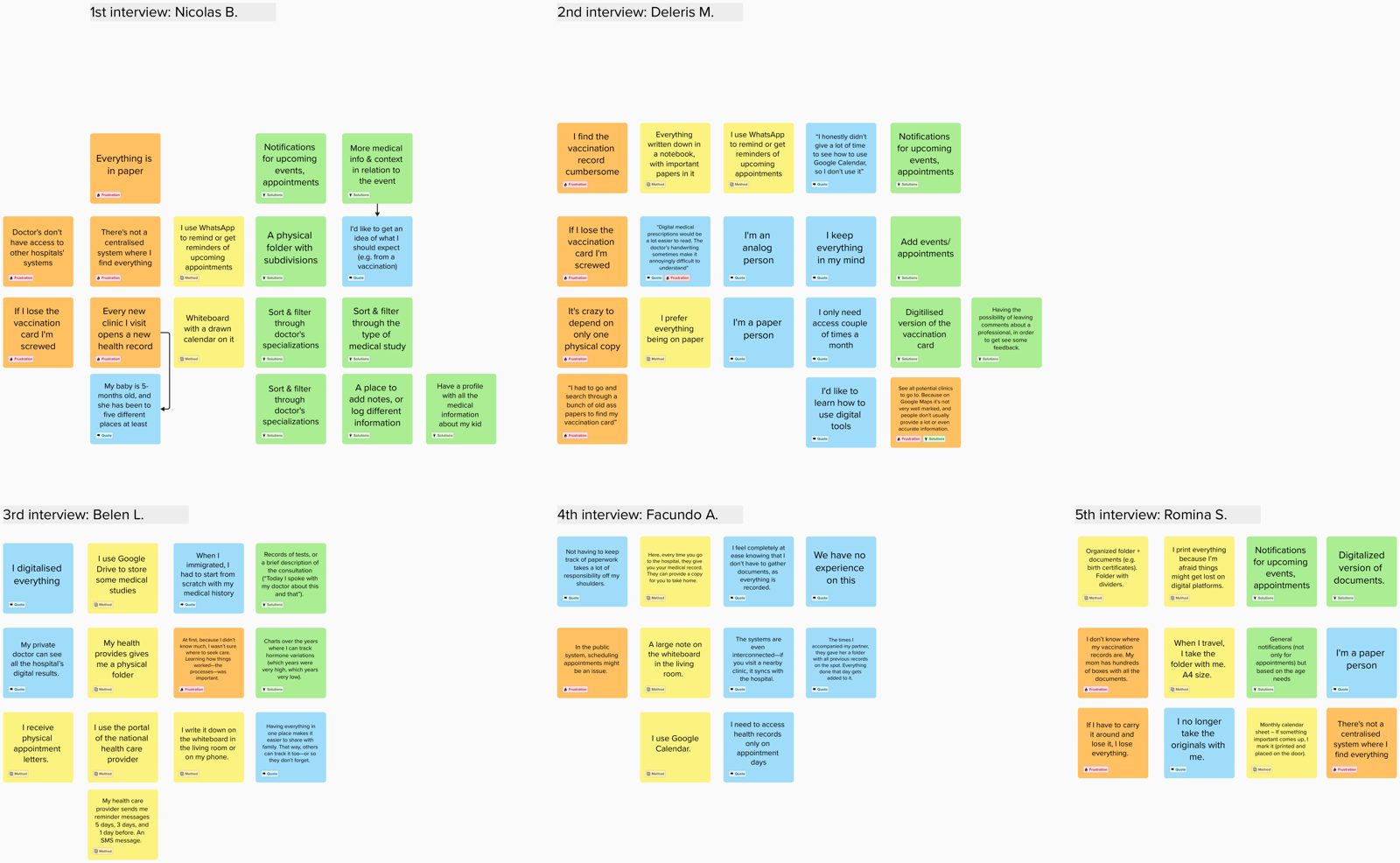
I interviewed five parents and parents-to-be in Argentina and Ireland, then grouped the notes into themes in Mural. Before the first interview I tested my questions on a fictional parent and found one was leading: asking about "organising" assumed the need, when it could just as well be storing, finding or sharing. I reworded it.
What I heard
📄 Paper is fragile
A vaccination card often has to be shown in person. "If you lose it, you're a goner."
🧭 Records are scattered
Different clinics, different systems, nothing shared. "You gotta start from scratch."
🗓️ Appointments live everywhere
WhatsApp messages to yourself, a whiteboard in the kitchen, SMS reminders, a notebook.
🌿 One place removes stress
Where records are centralised: "Not having to keep track of paperwork takes a lot of responsibility off my shoulders."
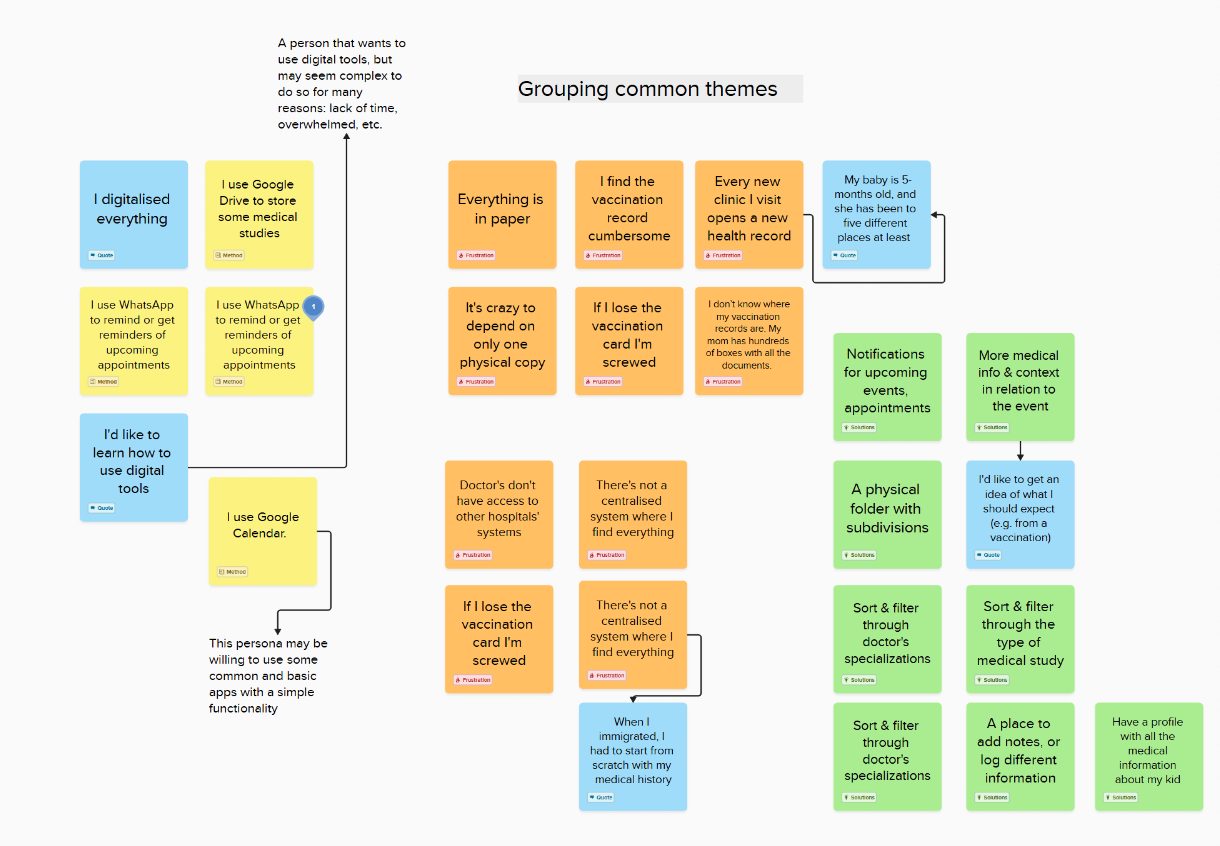
See the raw notes and the competitive audit
Competitive audit. I compared 7 direct competitors and 3 indirect ones (Google Calendar, Google Drive, Notion), and looked closely at Guava Health and Google Drive. All the direct competitors offered some kind of family profiles. Neither of the two I studied closely offered end-to-end encryption, and Google Drive's screen reader didn't read out file names. That pointed to three opportunities: family profiles done simply, privacy explained plainly, and a calm identity that doesn't look like a hospital.
👥 Personas
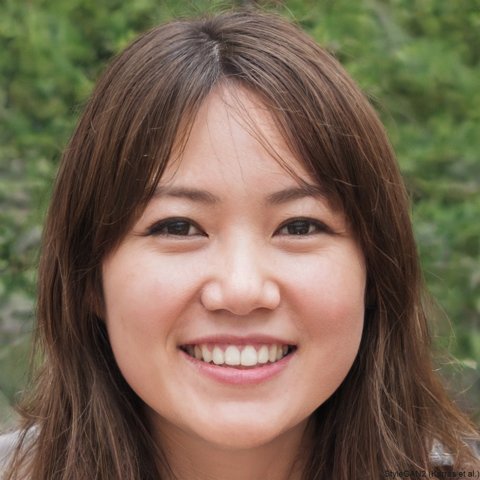
Anne, 25
Primary persona · Freelance copywriter · Lives with her partner and daughter Amapola (6)
"I don't want to depend on physical copies. If I carry them with me and I lose them, I'm screwed."
Goals
- All of Amapola's records in one digital place
- Reminders for appointments
- No more worry about losing papers
Frustrations
- Can't find the right paper fast
- Fears losing the only copy
- No single place to manage appointments
Tech comfort
Intermediate
Google Drive and Calendar. Android phone, Windows laptop.
Pablo, 31
Secondary persona · Art teacher · Divorced father of Romeo (9)
"A notification system will greatly help me."
Goals
- Simple digital reminders for appointments
- Print records as a paper backup
- Log Romeo's health in an organised way
Frustrations
- Worries digital records get lost
- Photos of paper are blurry to share
- Forgets appointments without a reminder
Tech comfort
Basic
Messaging apps and WhatsApp notes. Samsung phone, iPad, ThinkPad.
Persona photos are illustrative. I designed for Anne first; Pablo's needs (reminders, printing) shaped the Calendar later.
🎯 Defining the problem
Problem statement
Storyboards
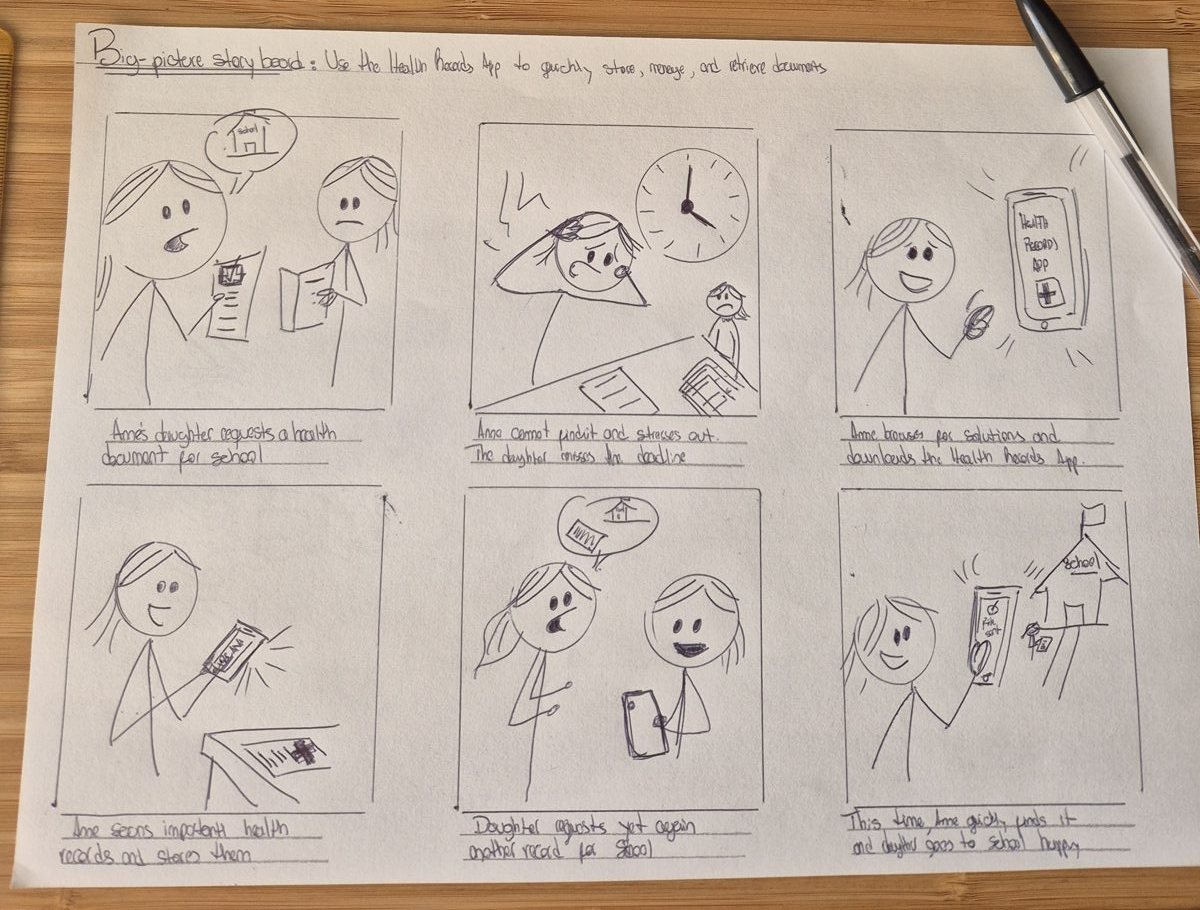
The storyboard follows that moment: Amapola needs a document for school today, Anne can't find it, and later, with the app, she finds it in seconds.
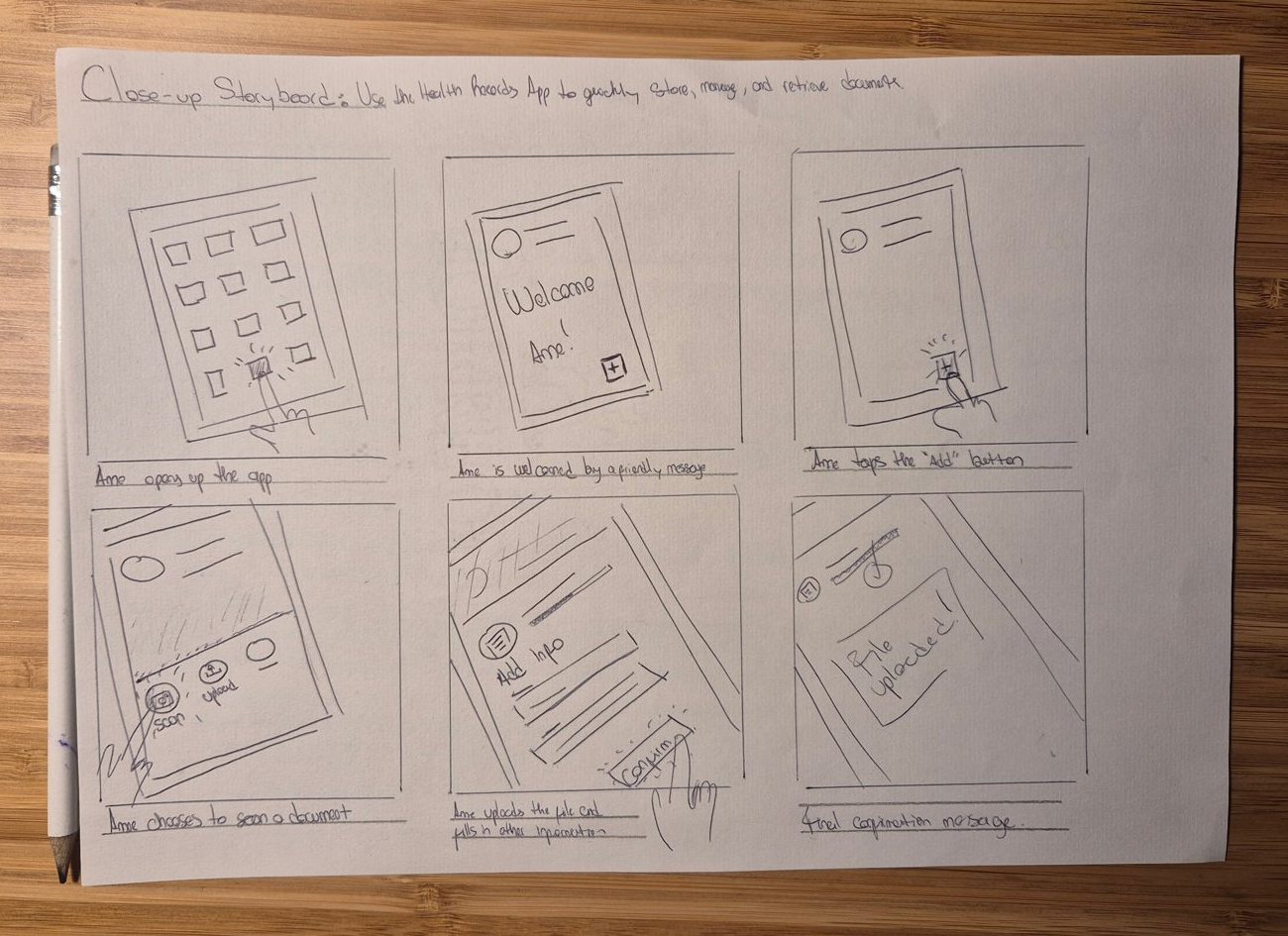
A second, close-up storyboard follows the moment the app has to get right: Anne opens it, is welcomed, taps Add, chooses to scan or upload, fills in the info, confirms, and sees "File uploaded".
From storyboard to paper wireframes
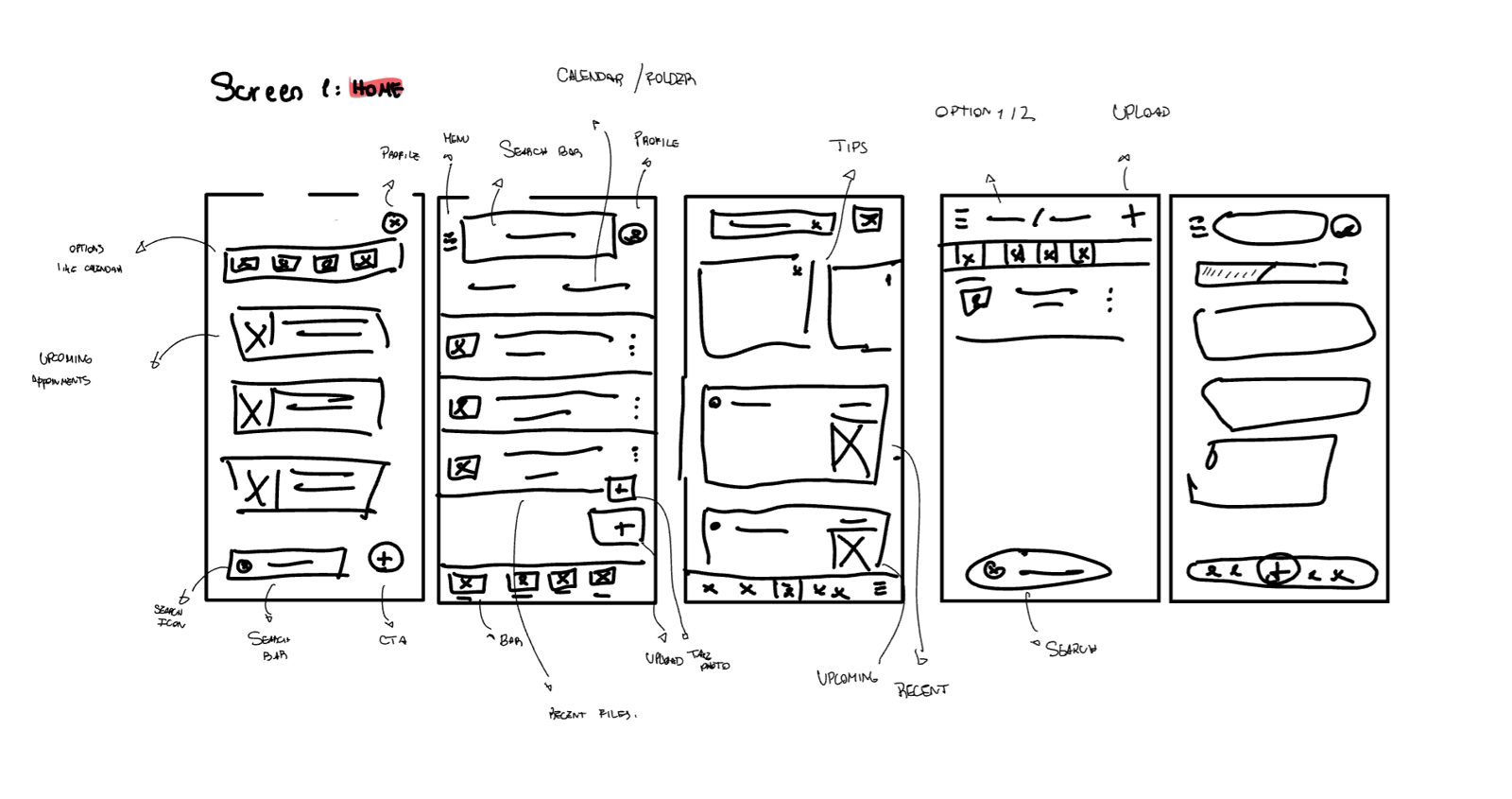
I sketched five screens (Home, Add a file or scan, Document details, Confirmation, Search), drawing on apps people already use to manage files, such as Google Drive, OneDrive, Proton Drive and Dropbox. For Home I drew five variations side by side, then redrew one before moving to Figma, where I rebuilt the screens as a clickable lo-fi prototype.
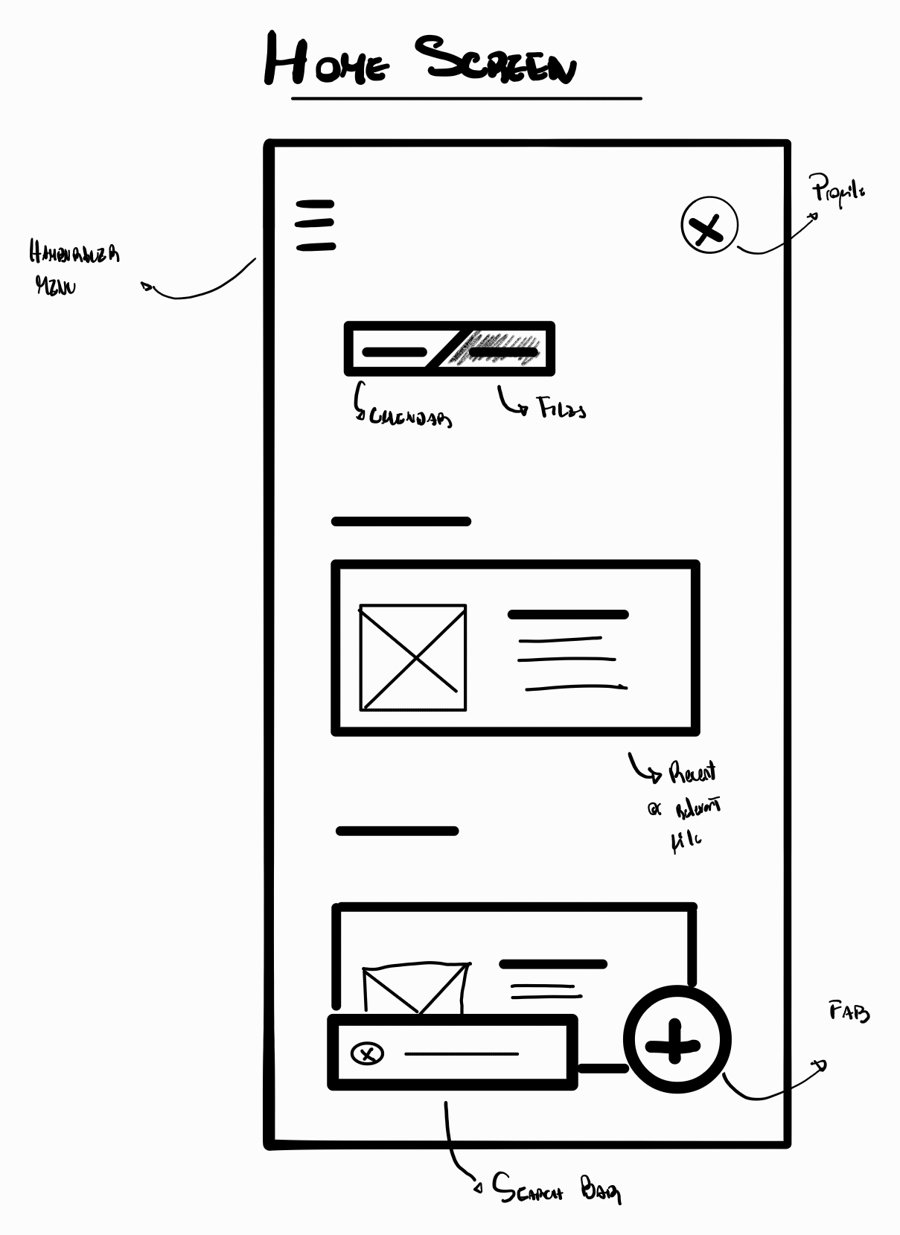
See the paper wireframes for details and search
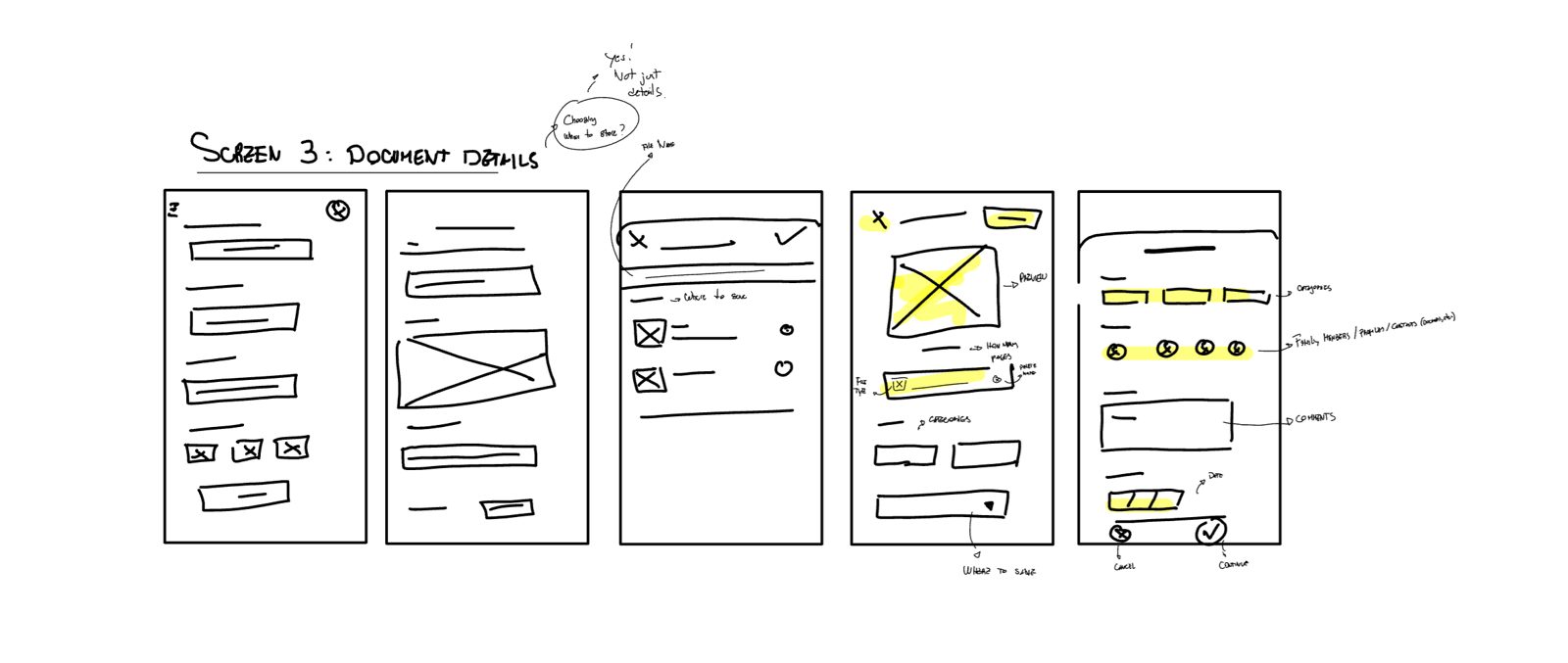
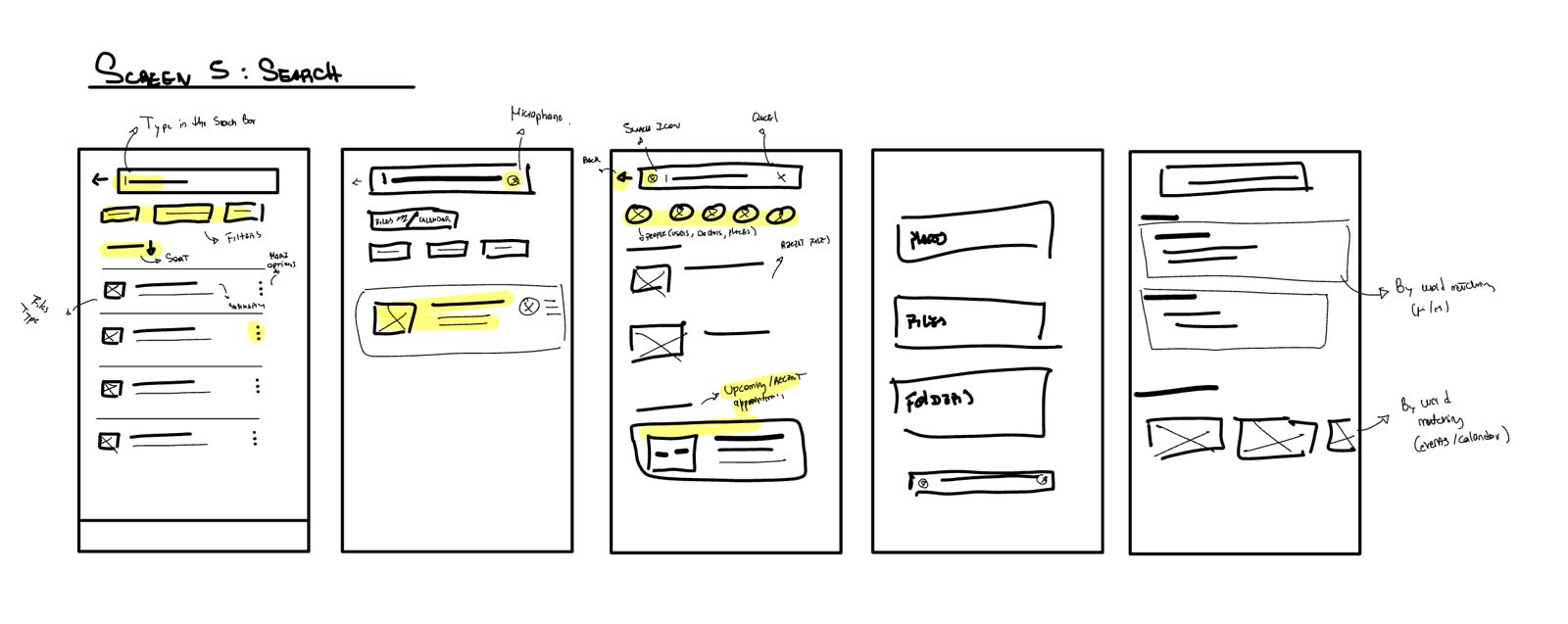
🧪 Study 1: testing the lo-fi prototype
Goal: find out whether the app lets people retrieve a record faster than a paper folder. Who: 5 people aged 23 to 50, including a physician and someone who prefers hard copies. Tasks: add a medical record, fill in its details, then find it from Home. The results below describe where people got confused. They don't include task times, so this study can't say whether the app is faster than a paper folder.
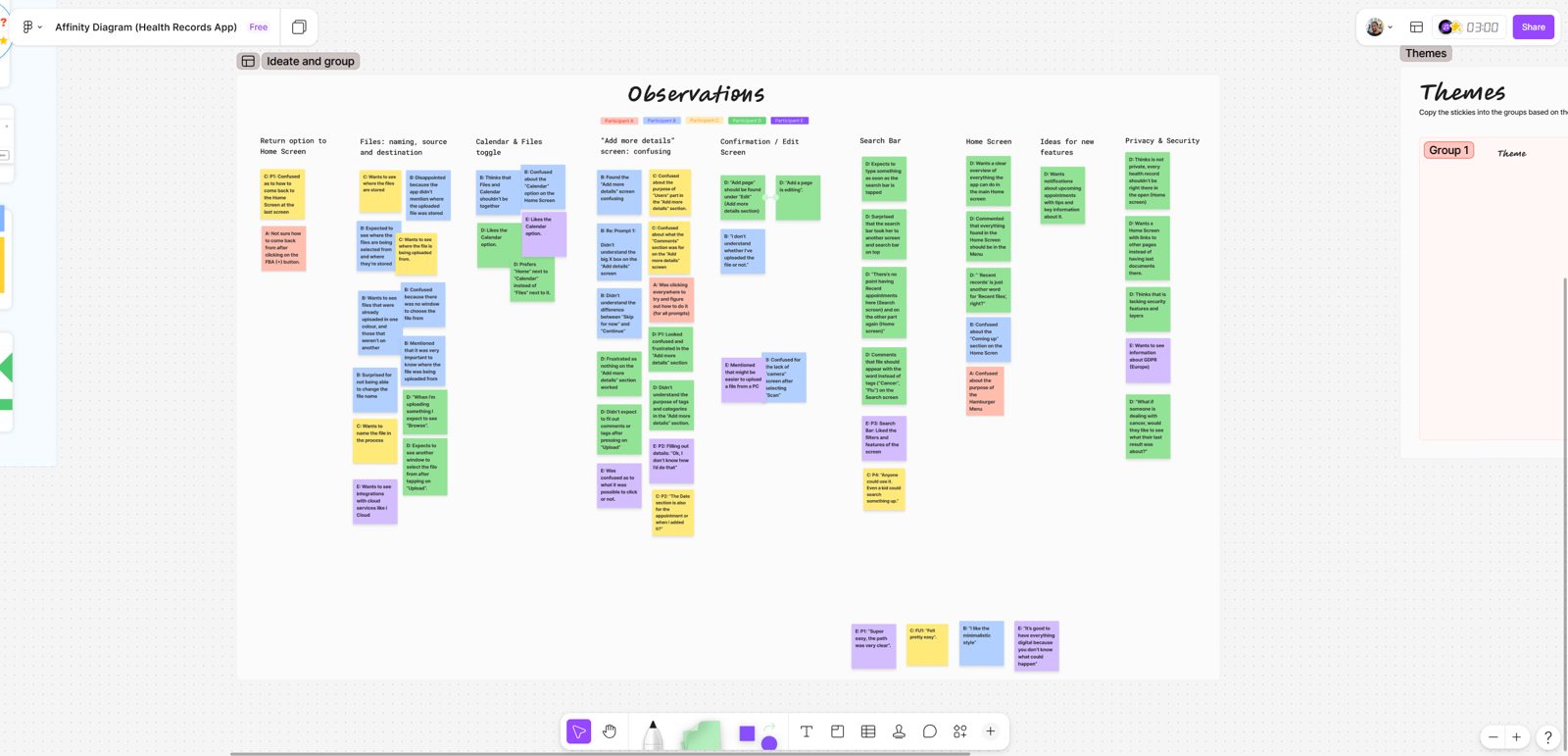
See how I sorted the observations
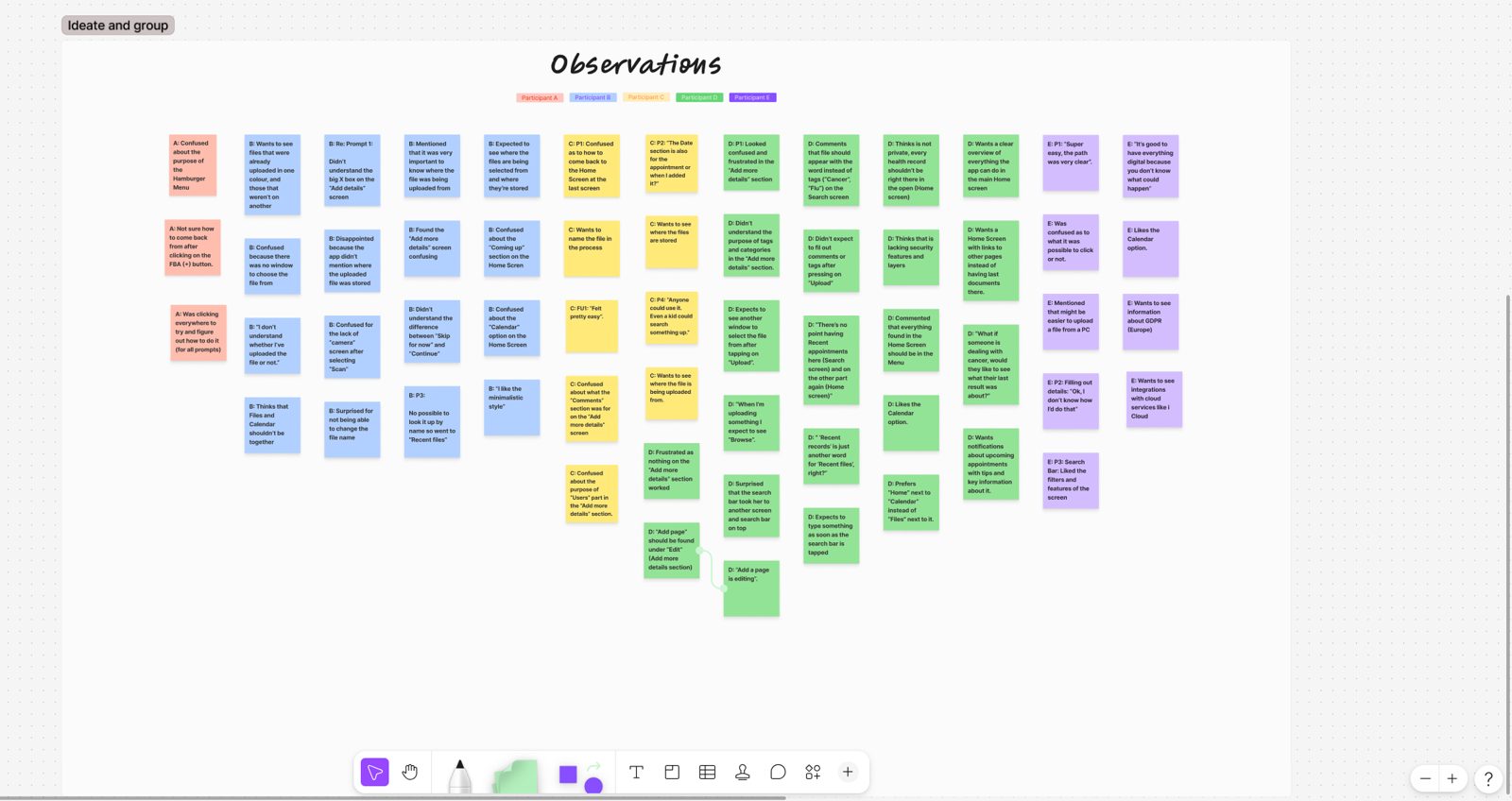
Problem 1: The details screen didn't tell people what to do
What happened
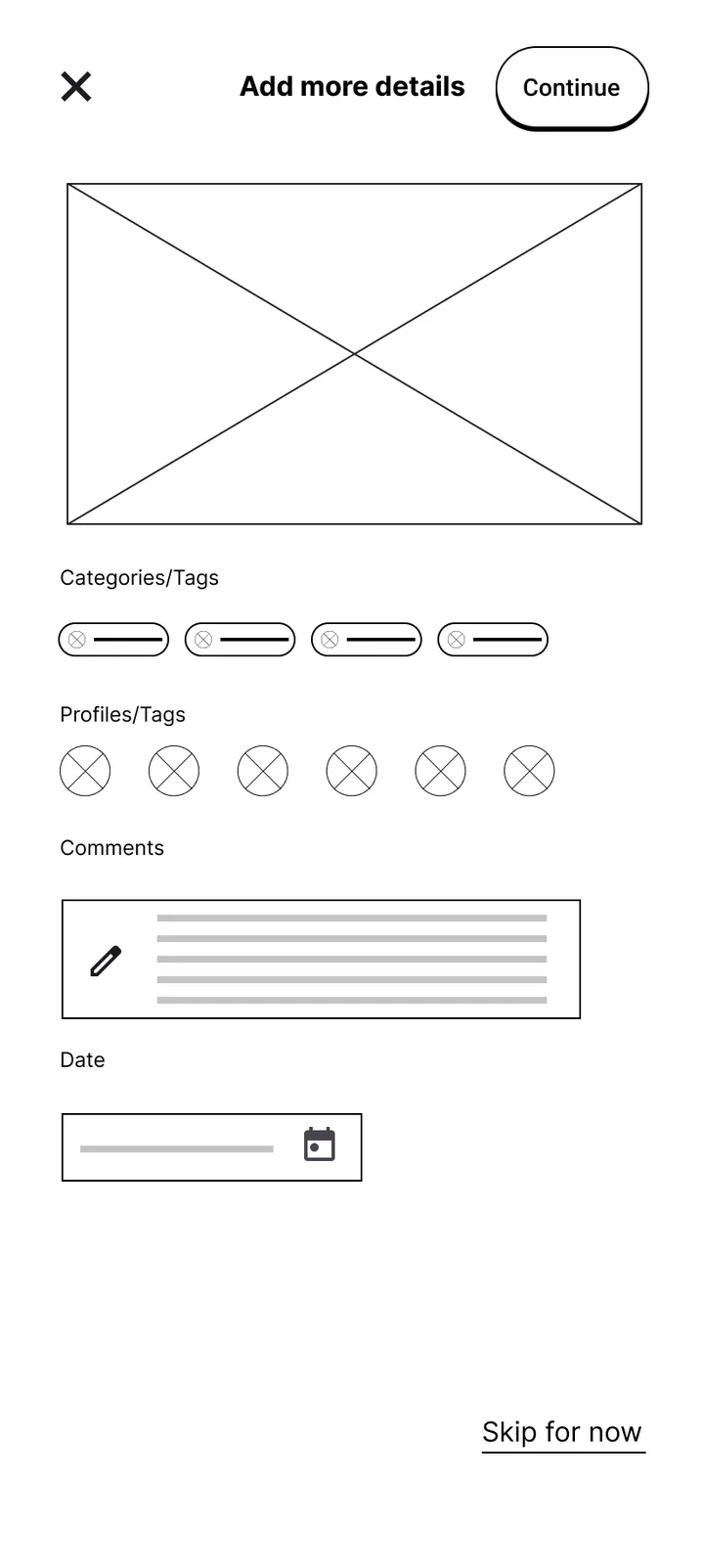
5 of 5 were confused on "Add more details", a loose set of tags, profiles and comment boxes. 1 of 5 didn't see the difference between "Skip for now" and "Continue". 2 of 5 expected to name the file.
What I changed
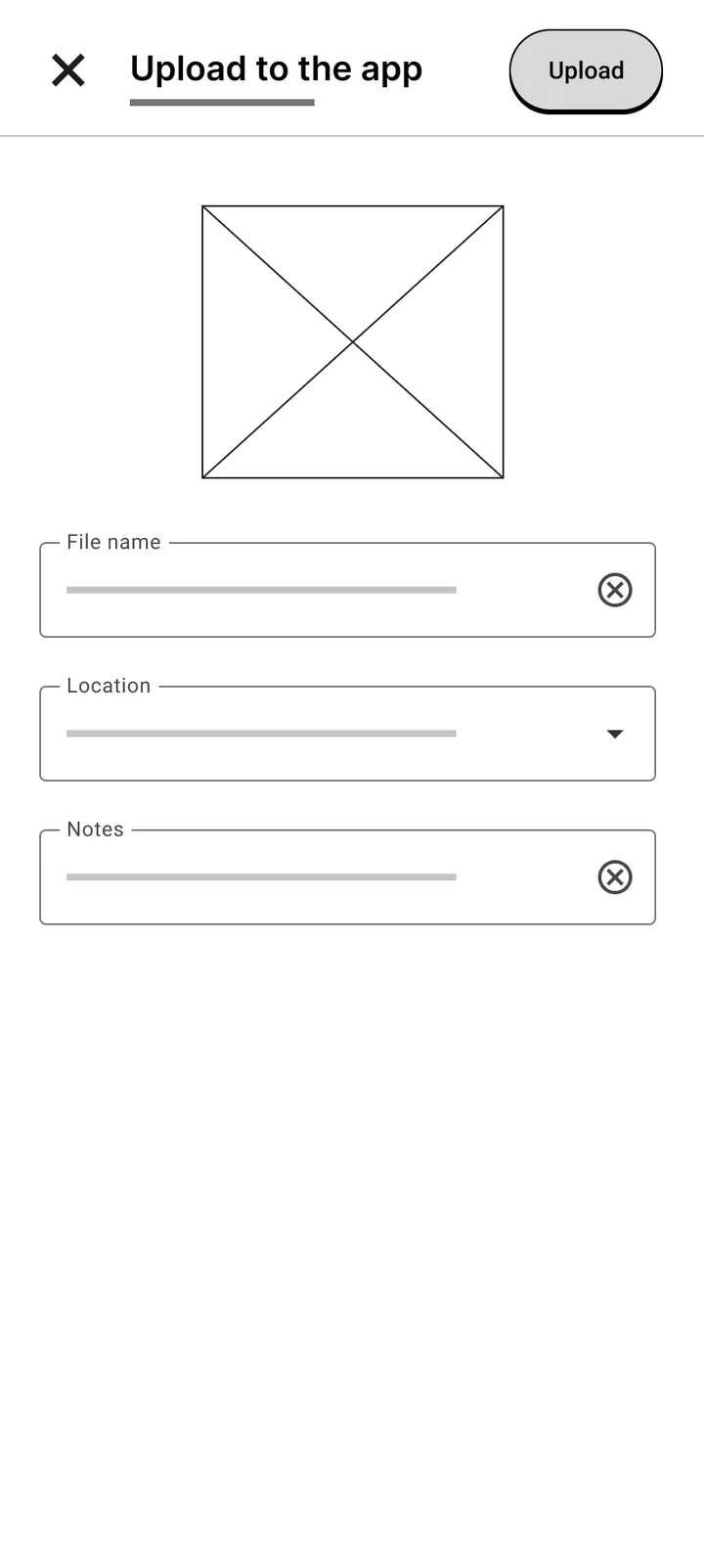
A familiar form with labelled fields, a Name field and a field for where the file goes. Only the essentials up front, and no "Skip for now": every field was optional, so the main button already did that job.
Principles: recognition over recall, and progressive disclosure: ask for the minimum now, more later.
Problem 2: People weren't sure the file had been saved
What happened
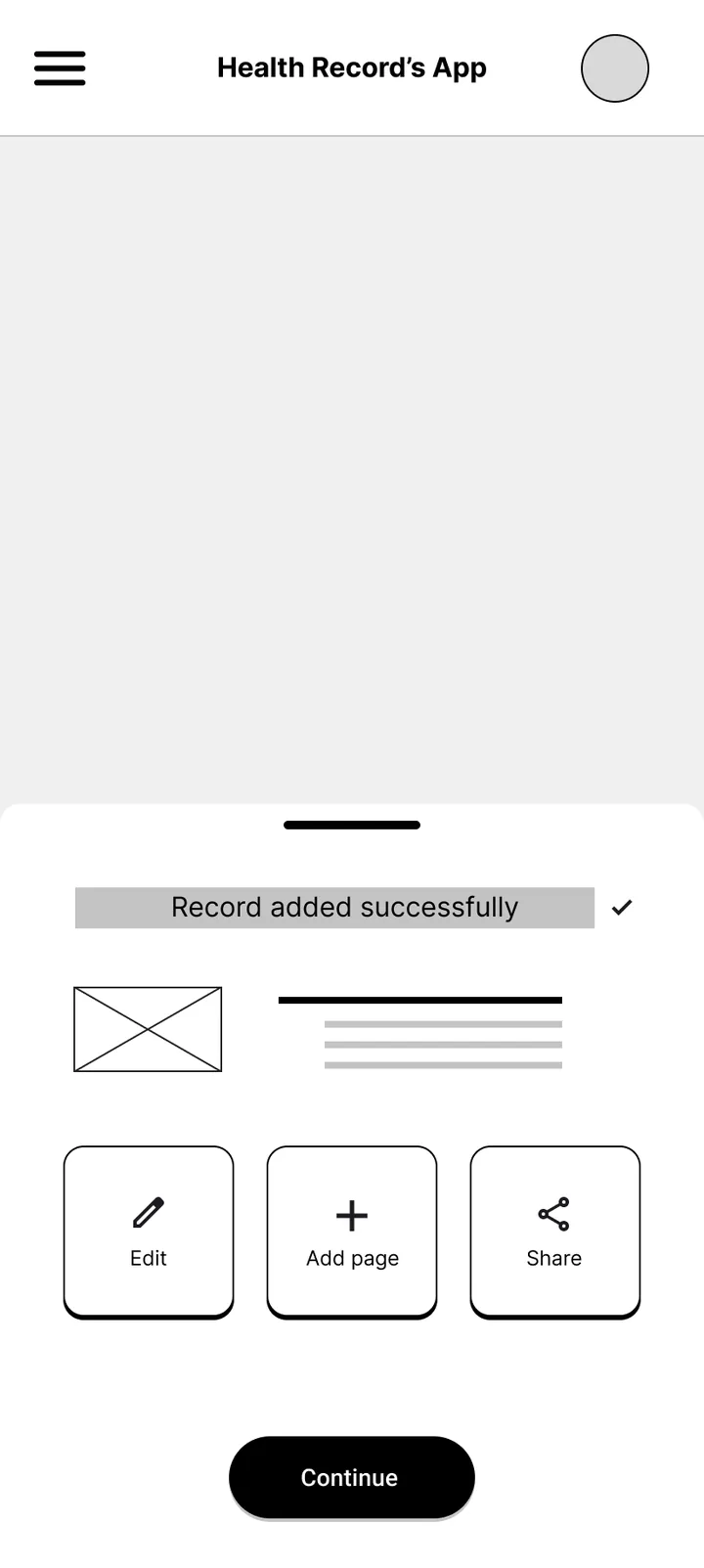
1 of 5 couldn't tell whether the file had uploaded. 1 of 5 couldn't find a way back to Home. 1 of 5 was confused by "Add page" sitting apart from "Edit".
What I changed
No separate confirmation screen. People land back on Home, where the file shows up in Recent files and a notice confirms the upload. Extra actions moved to the notice and the file itself.
Principle: visibility of system status: show the result where people will look for it.
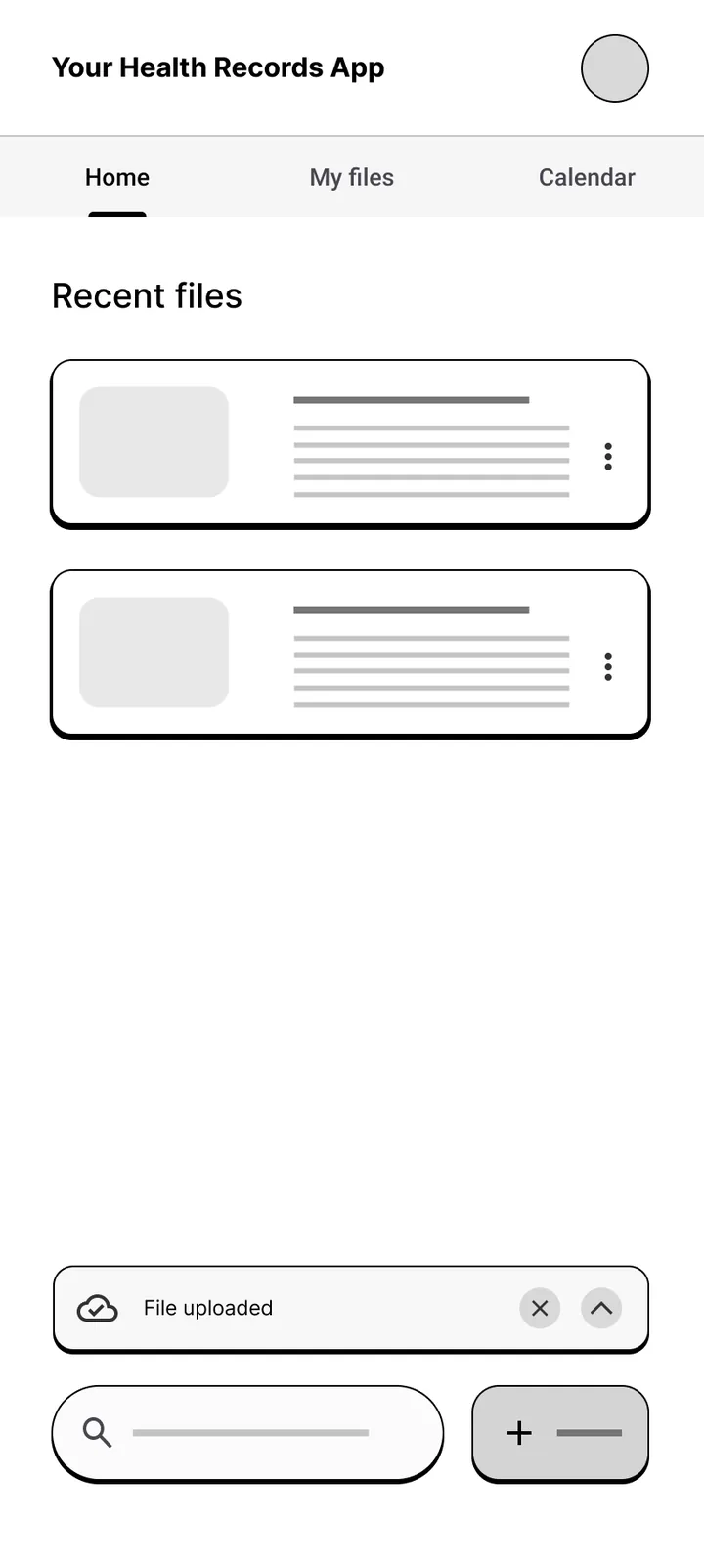
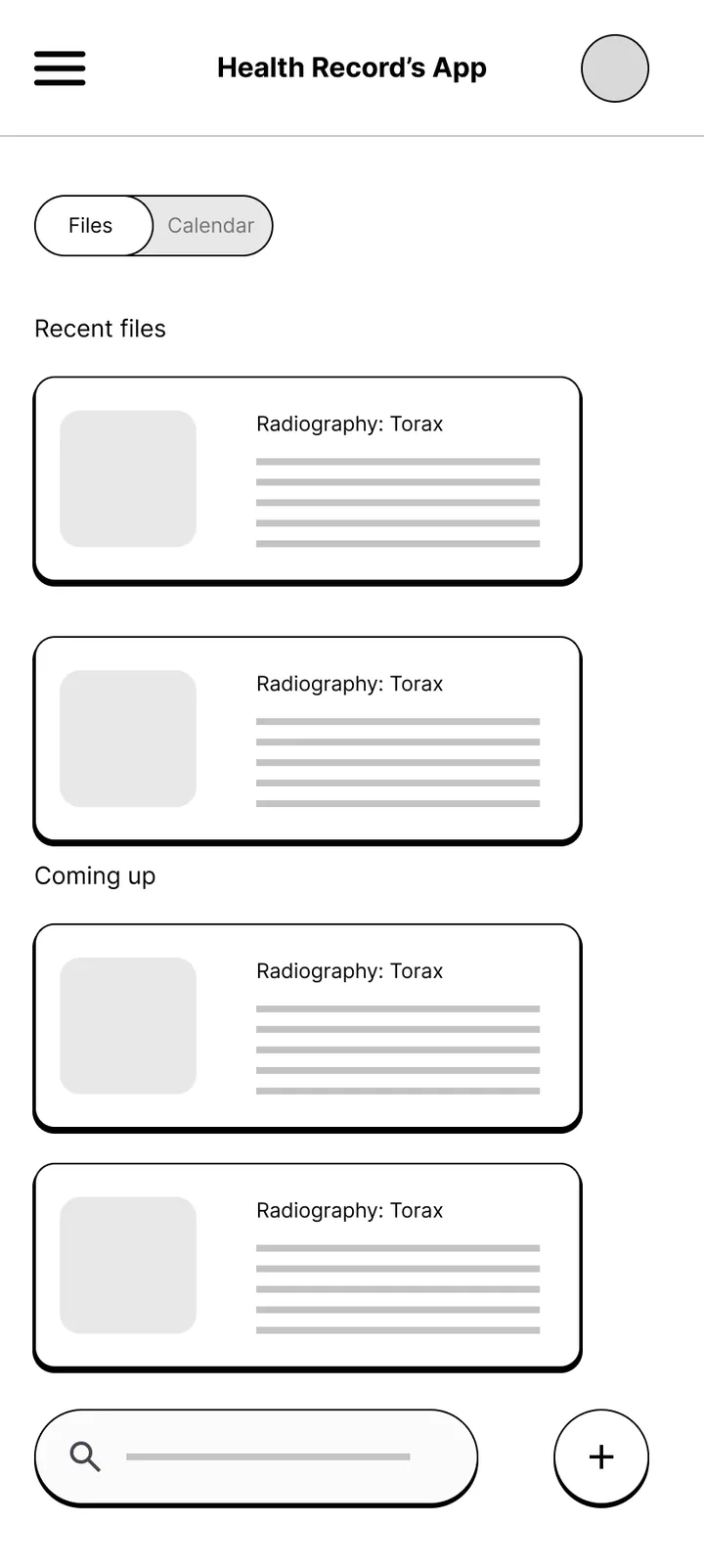
Problem 3: Home mixed files and appointments
What happened
2 of 5 liked a calendar but not next to "Files". 2 of 5 didn't understand "Recent records" and "Coming up". 1 of 5 found the hamburger menu confusing.
What I changed
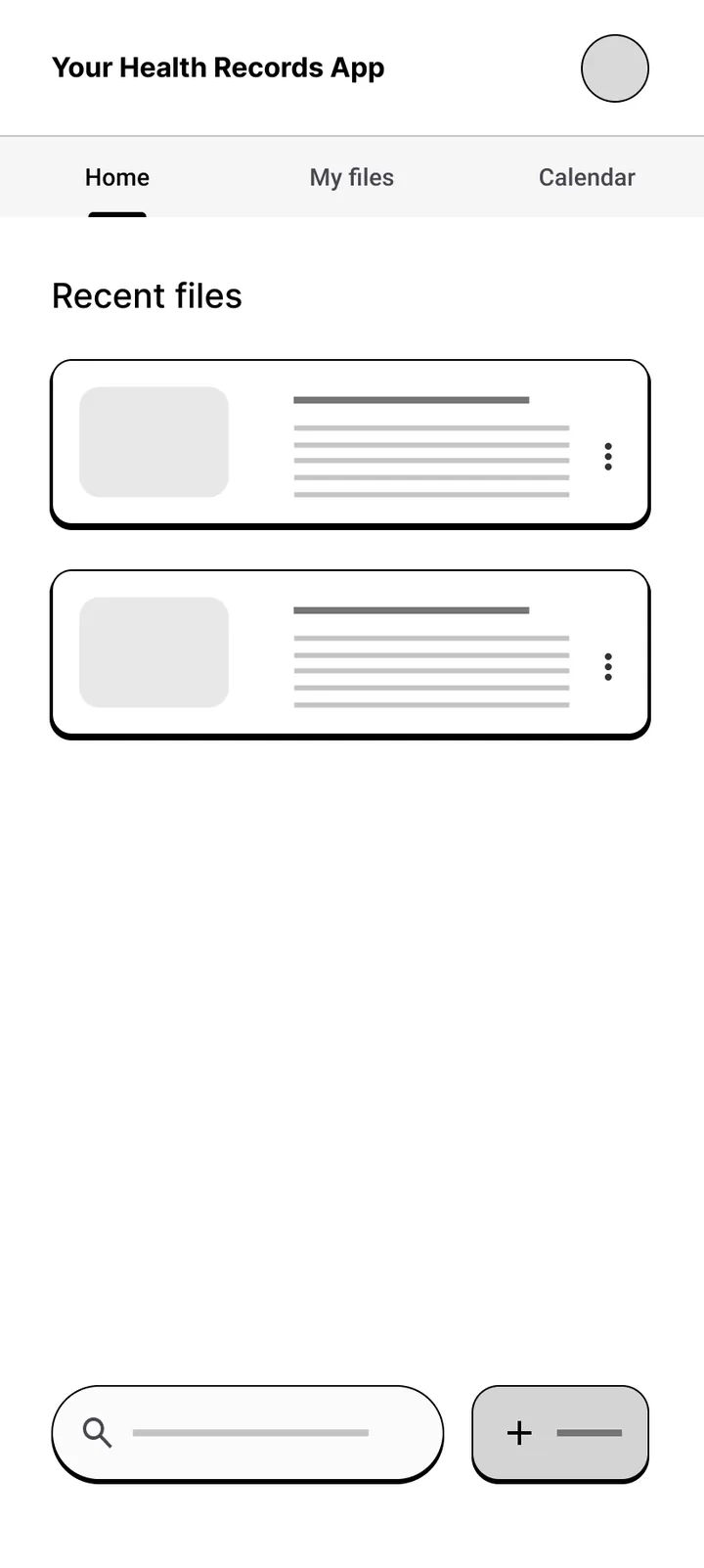
Three clear tabs, Home, My files and Calendar, so each job has its own place. Home focuses on recent files, and the hamburger menu is gone.
Principle: group related things together and keep navigation visible.
🎨 Going hi-fi
Colour and type
I wanted the app to feel trustworthy, warm and familiar, not like a hospital. Most health apps are blue and white, and parents are often already stressed when they open one. I took paper, ink, wood and green as the reference: a calm palette with no saturated colours.
- Dark wood
#4B2C1E - Olive
#4B5936 - Paper
#F8F6EF - Paper light
#F3EFE6 - Gold
#CA9F5D - Ink
#2C2C26
LibrettoRoboto Serif gives the archive-like feel of a record book. Roboto Slab is used only for the app name.
The colour and type choices come from my moodboard and my own judgement, not from a user study. Preference
How the look changed, version by version
- Two moodboards. The first, in August, was a cool blue duotone, a direction I moved away from. The second, in October, used real materials instead of other apps: wood grain, warm paper, a deep green and a wooden bookshelf. I took the palette from it with Adobe Color and turned it into Figma variables.
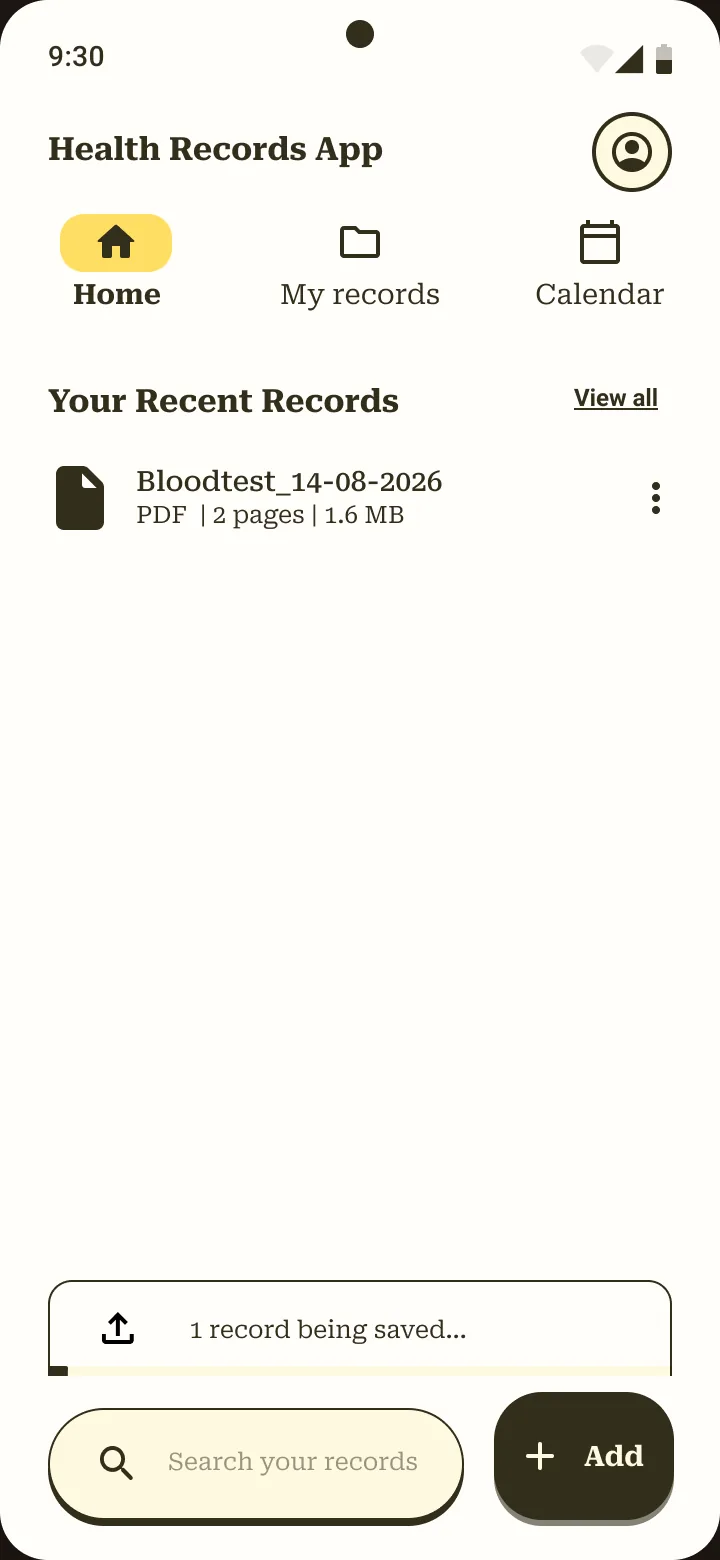
- Hi-fi v1. A cream background, very dark brown main buttons, bright yellow for pressed and active states, and a big "Hi, Anne." greeting. The direction felt right, but the yellow broke my own rule of no saturated colours, and the greeting took space from what Anne came to do: see and add records.
- Black became brown. I tried full black for the strongest elements. The main buttons now use dark wood brown, which keeps strong contrast (9.39 : 1) but stays in the wood-and-paper family.
- Yellow became gold. The muted gold works as a pressed state because ink on gold is 5.77 : 1. Gold on paper is only 1.83 : 1, so I never use it for text.
- Hi-fi v3 gave the app its name. Libretto feels closer to a small personal booklet of records than "Health Records App". Home lost the greeting and gained a chip showing whose records you are looking at.
I used ChatGPT only to explore colour combinations. Claude, connected to my Figma and Notion files, listed what the first hi-fi prototype was missing, and each gap in that list is tied to a finding from my research.
Layout
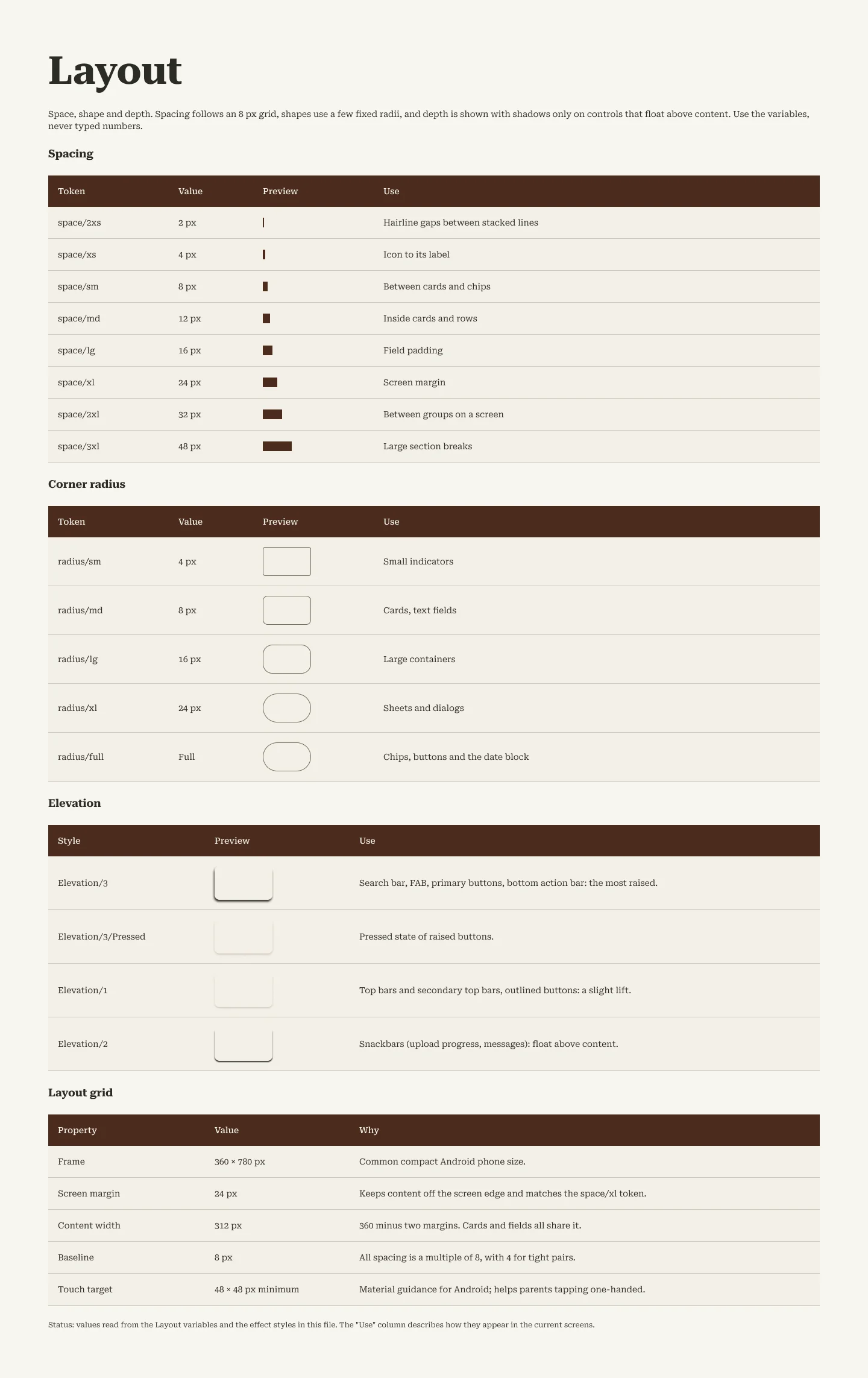
Material Design 3 for Android on an 8 px grid, one main action per screen, always at the bottom, and the same record card everywhere a record appears, so people recognise it.
Accessibility checks
I measured contrast on the design tokens with the WCAG 2 formula. The thresholds are 4.5 : 1 for normal text and 3 : 1 for large text and interface parts such as borders and icons. Established guidance
| Pair | Ratio | Result |
|---|---|---|
| Ink on paper (body text) | 10.54 | Pass |
| Ink on card | 12.24 | Pass |
| Paper on brown (main buttons) | 9.39 | Pass |
| Paper on olive | 5.67 | Pass |
| Ink on gold (pressed state) | 5.77 | Pass |
| Outline on paper (borders, icons) | 3.81 | Pass for borders and icons, not for text |
| Outline on card | 4.42 | Just under 4.5 for text |
| Gold on paper | 1.83 | Fail: never used for text or as the only sign of a state |
Icon buttons sit in 48 × 48 px containers. The 32 px filter chips are below Material's 48 px minimum, which I haven't explored yet. Filled and outlined icons mark the active tab, so position doesn't rely on colour alone. Screen reader support and large text sizes are not checked yet.
🧪 Study 2: testing the hi-fi prototype
How: 4 moderated sessions in September 2026, on a desktop screen-share, thinking aloud. Tasks: add a child's blood test result, find it when the school asks, then edit it. Afterwards I asked what was confusing, where they thought the file went, and whether they'd trust the app.
Problem 4: Nobody could open a record after saving it
What happened
4 of 4 couldn't open the record they had just saved; tapping it only showed an options sheet. "There's no option for opening the record, but it's right there."
What I changed
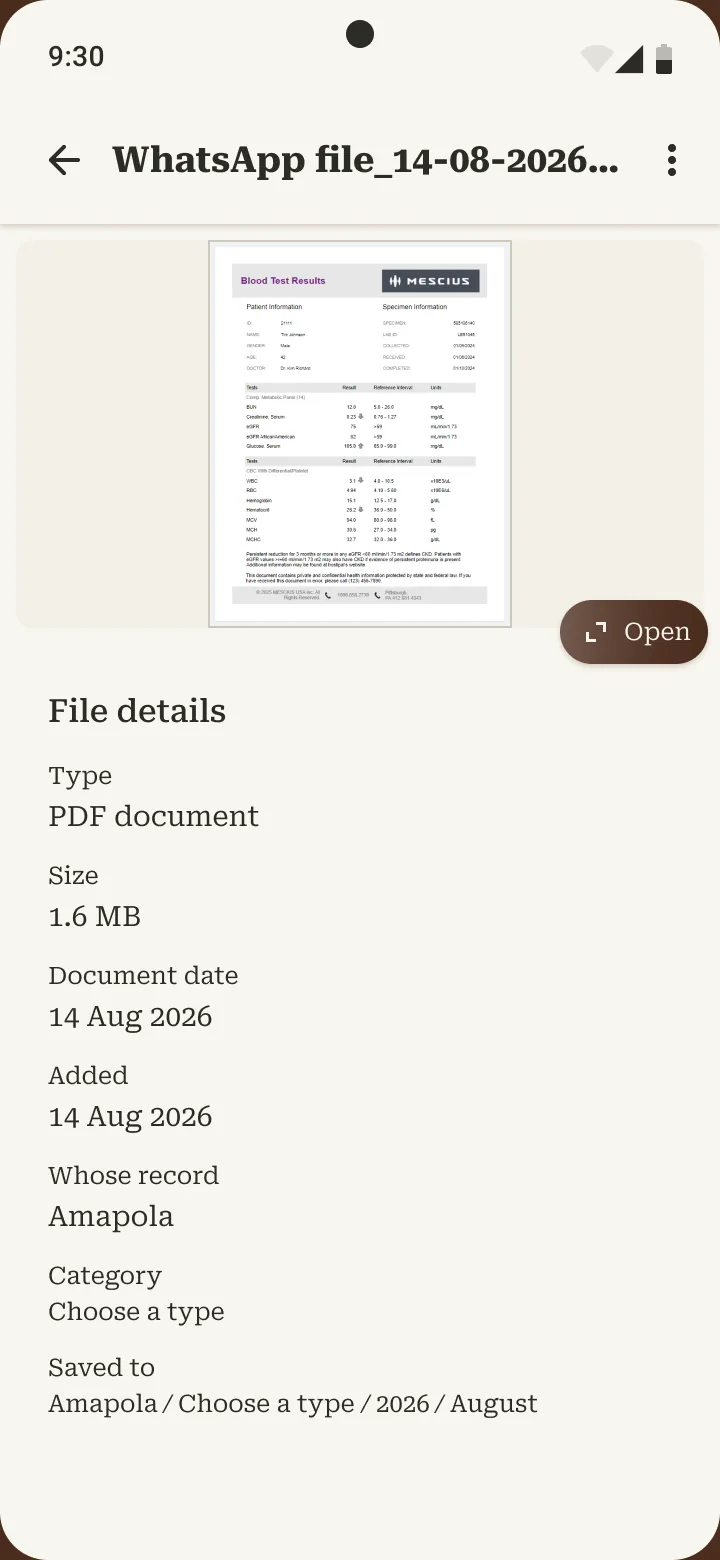
Tapping a record opens Record details: a preview with an Open button for the full view, then type, size, date, whose record it is, its category and where it's saved.
Why it mattered: Anne's job ends with showing the document to the school or the doctor. The flow stopped one step short.
Problem 5: "Destination" made no sense, and nobody knew where the file went
What happened
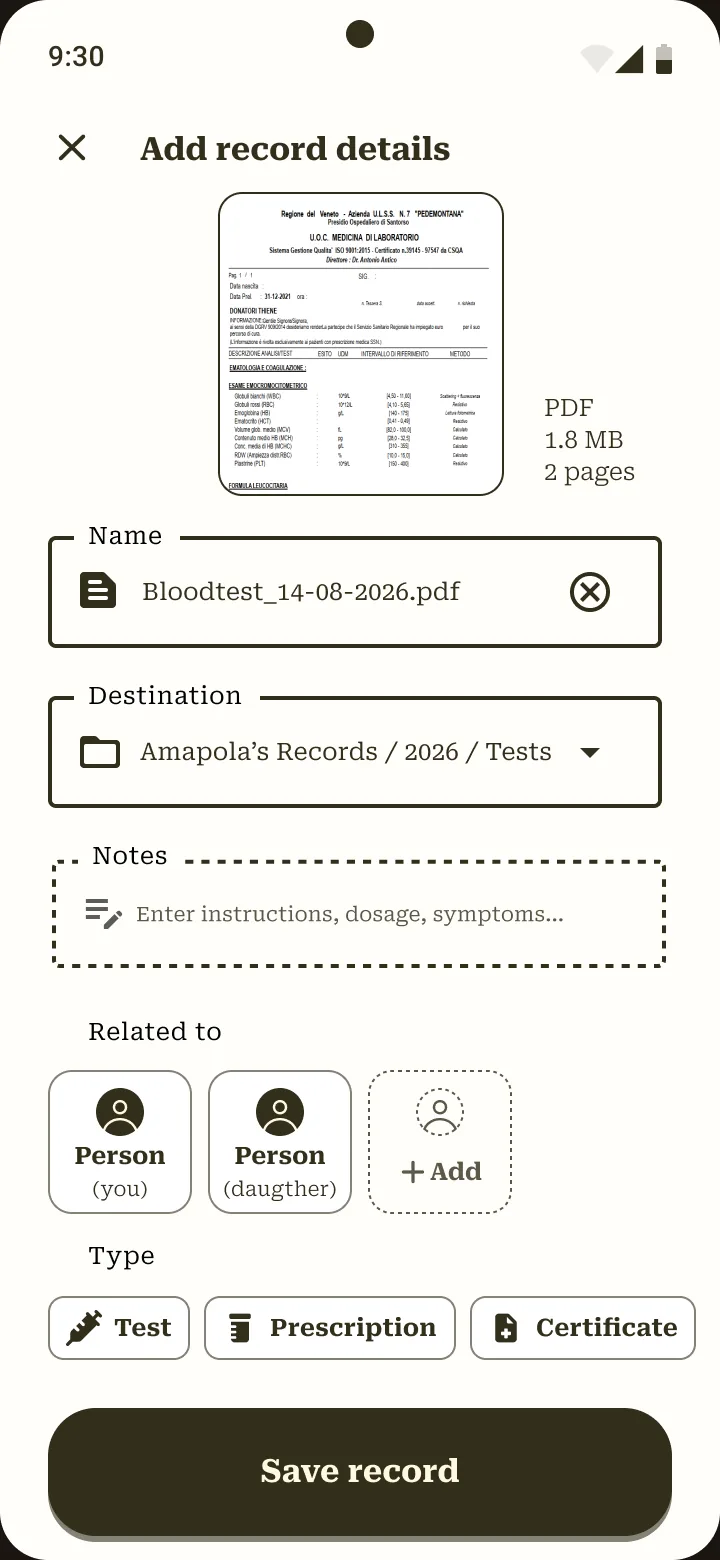
3 of 4 didn't understand "Destination: Amapola's Records / 2026 / Tests". One asked "Who is Amapola?"; another tapped it expecting a folder picker. 3 of 4 couldn't say where the file was saved. "I didn't get the destination part."
What I changed
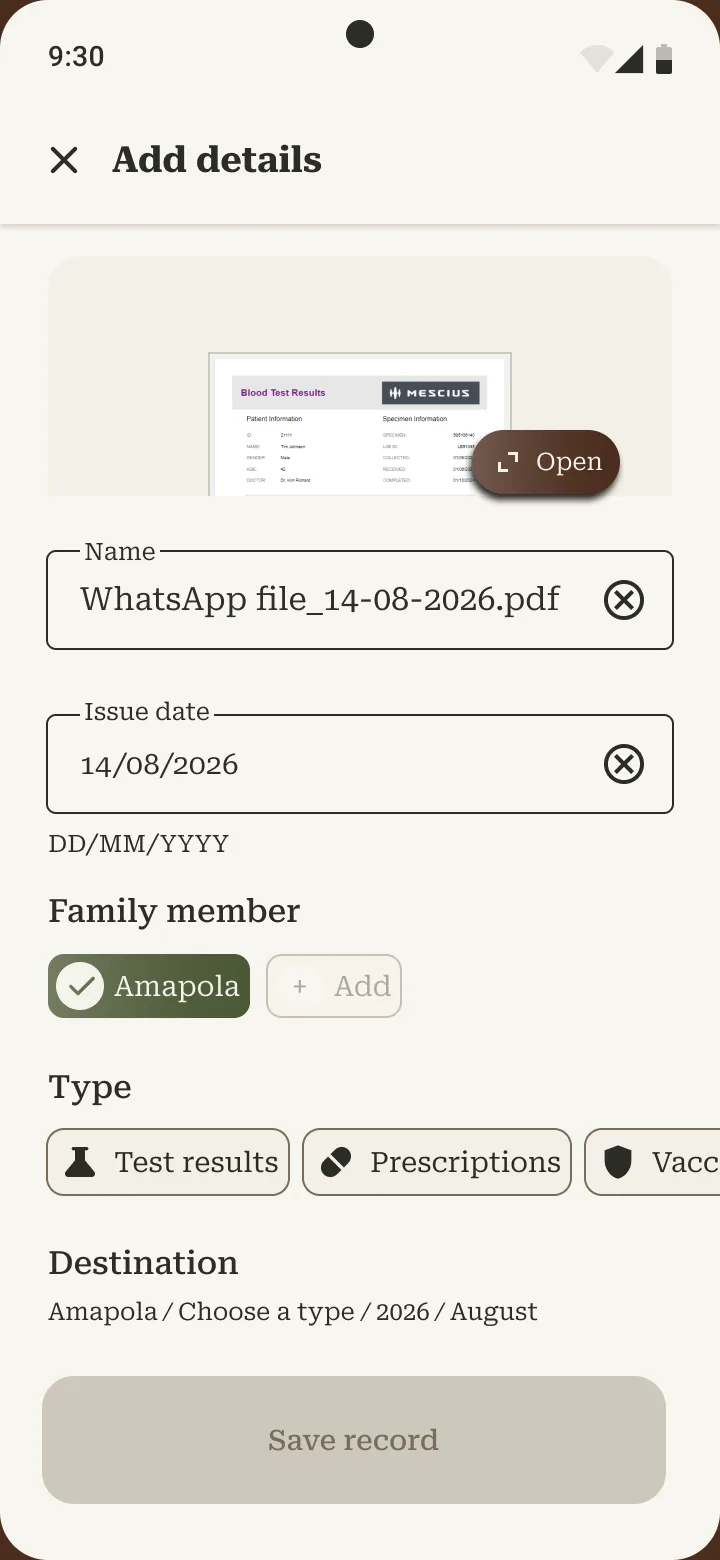
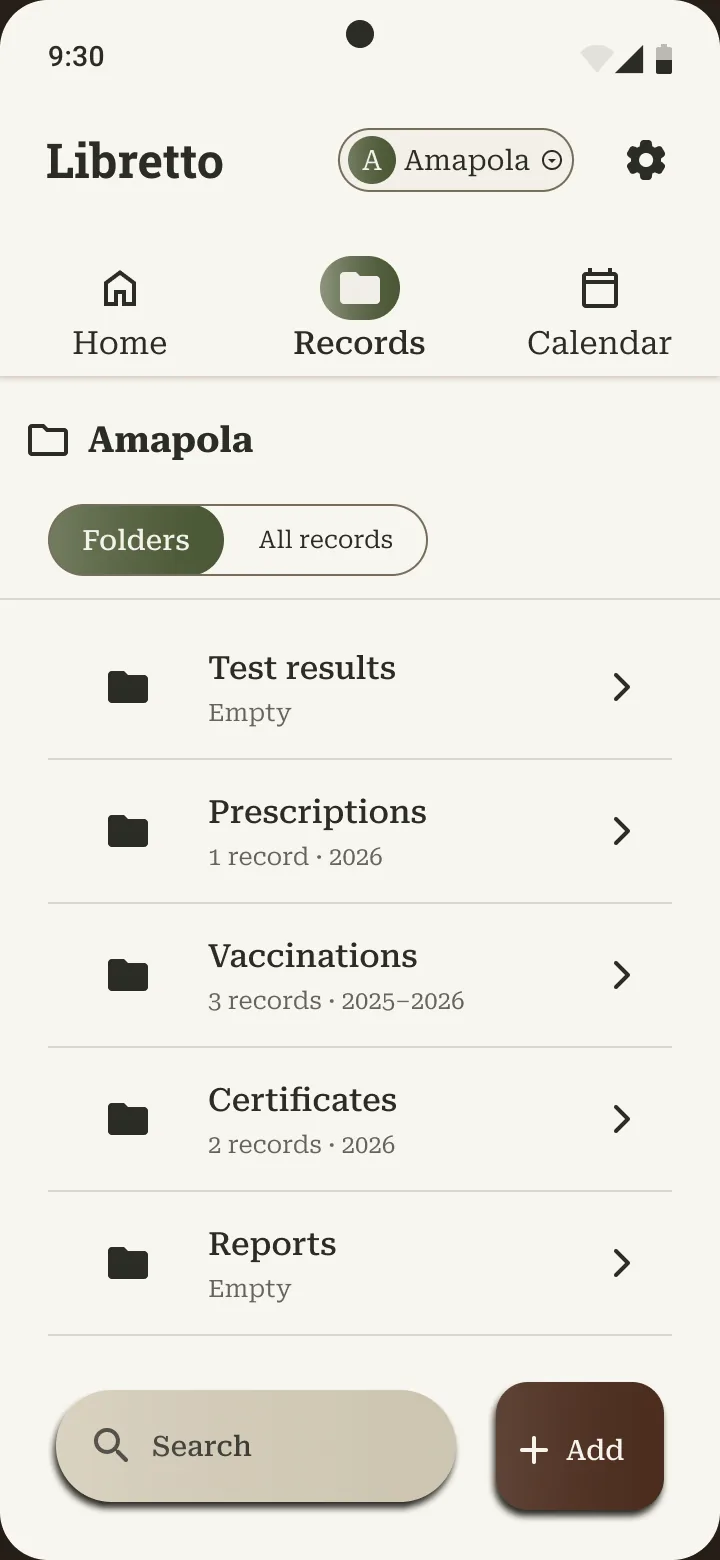
No separate Destination choice. You pick who the record is for and its type, and the app shows where it will be filed, as read-only text that updates as you choose: Amapola / Test results / 2026 / August. The same path appears as folders in Records.
Principle: match the real world: file things the way parents think about them, by child and by type, in plain words.
Problem 6: The app chose the child without asking
What happened
2 to 3 of 4 questioned why "Person (daughter)" was already selected: "Why 'Daughter'? It decided on its own!" (translated from Italian). One couldn't tell whose blood test it was.
What I changed
The child's name replaces "Person (you)" and "Person (daughter)". The active child is shown in the top bar with a switcher, and Record details says whose record it is.
Principle: user control: make defaults visible instead of silent.
Smaller fixes and the backlog
| Found | Seen in | Change |
|---|---|---|
| No way out of the upload flow | 1 of 4 | Cancel with a "Discard this record?" confirmation |
| A save message that kept coming back | 1 of 4 | The snackbar dismisses itself |
| "Test" was too narrow | 1 to 2 of 4 | "Test results", and the same five type names everywhere |
| How my data is handled | 2 of 4 | Backlog: controlled sharing and permissions |
| Home as a summary of what needs attention | 1 of 4 | Backlog: needs testing first |
✨ The final design
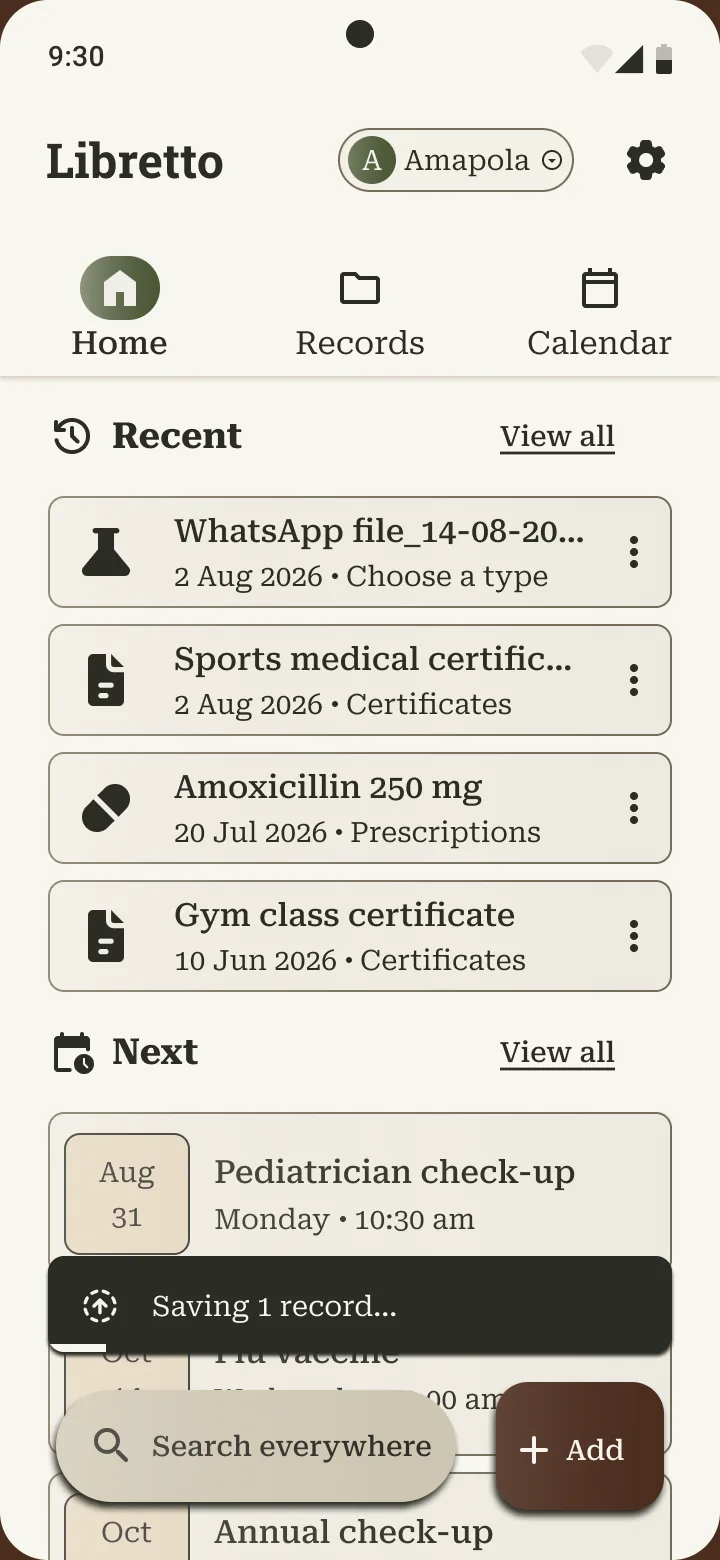
Beyond the core flow
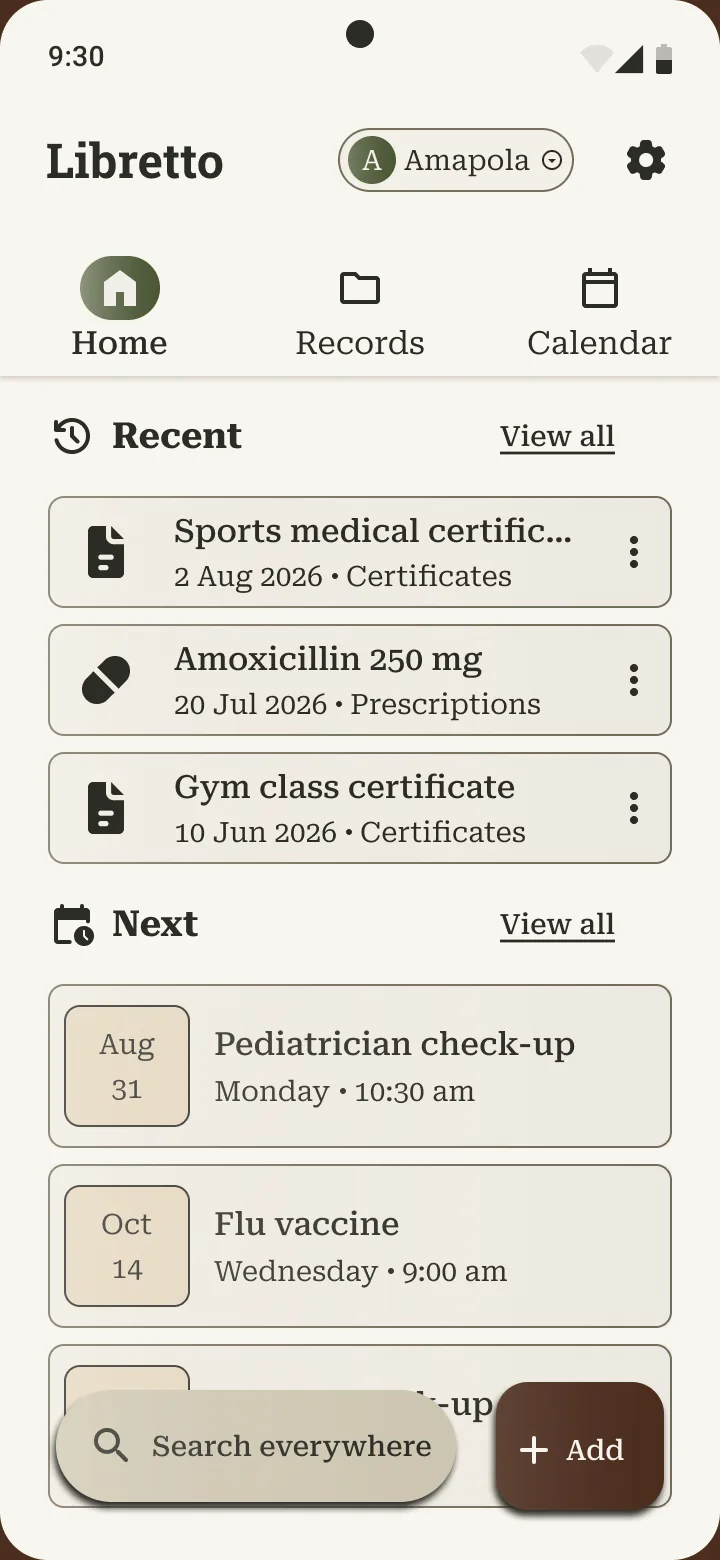
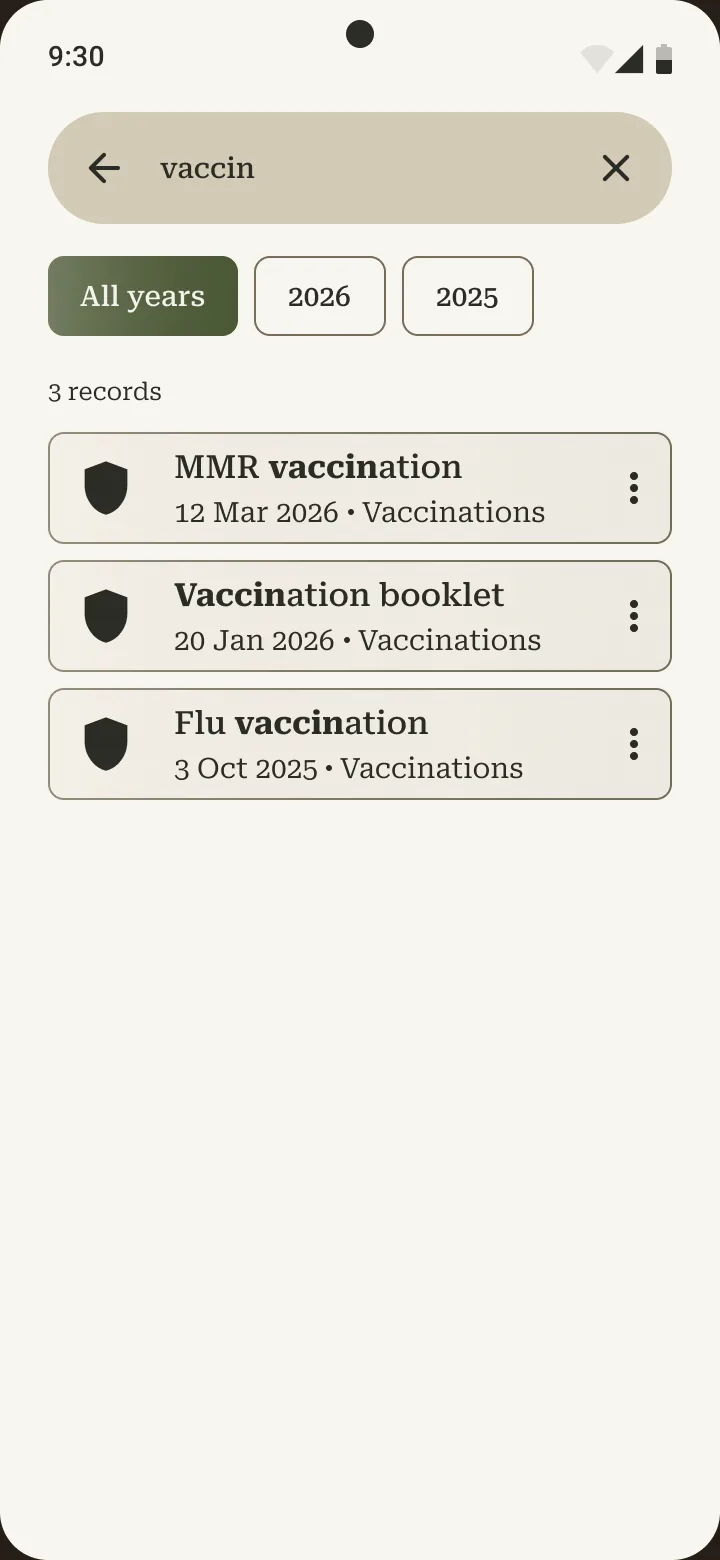
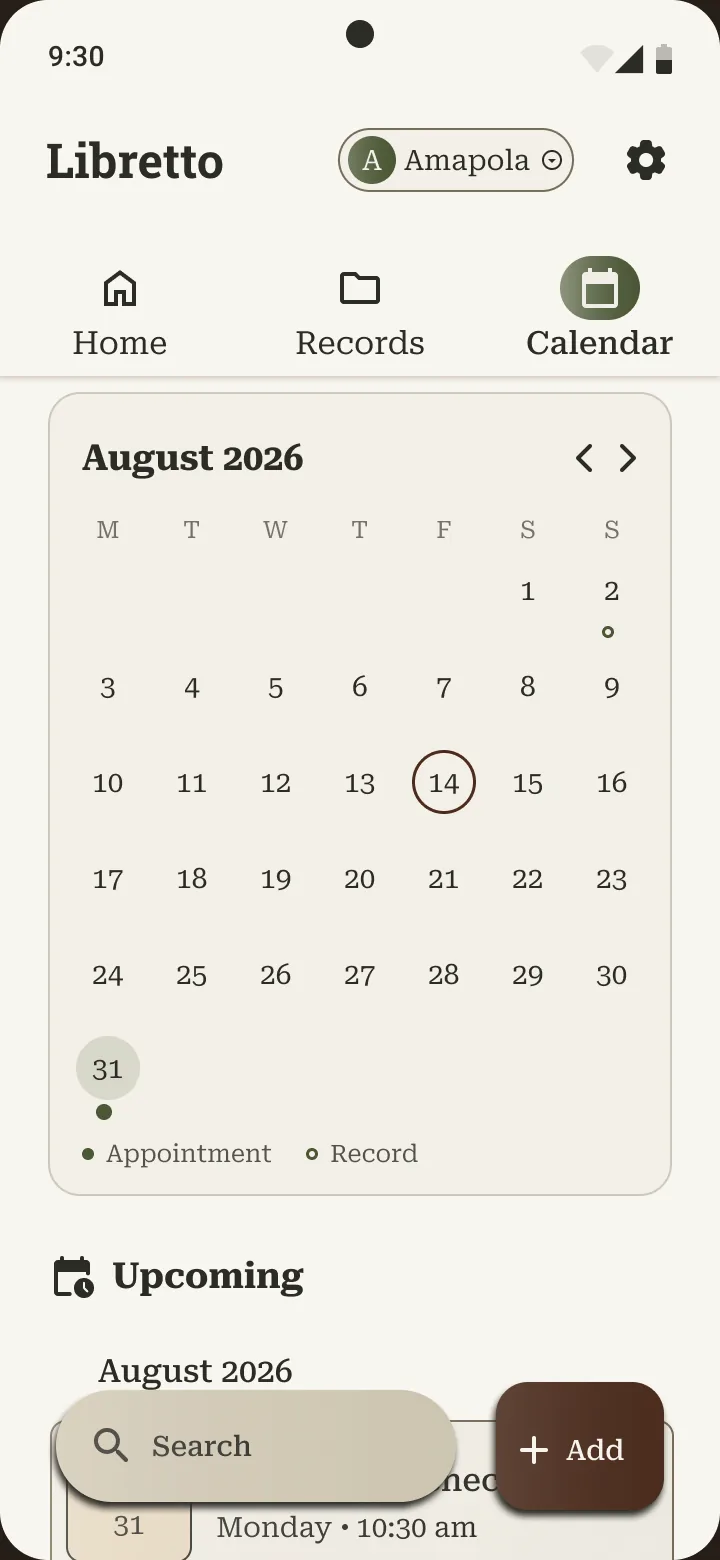
I also built what Study 2 couldn't exercise: Records as folders (child, then type, then year) that mirror the saved path, Search across records and appointments, and a Calendar with reminders for Pablo.
Try the prototype
Tap the screen once after it loads. Typing is simulated: tap the keys, because Figma can't take live text.
Design system
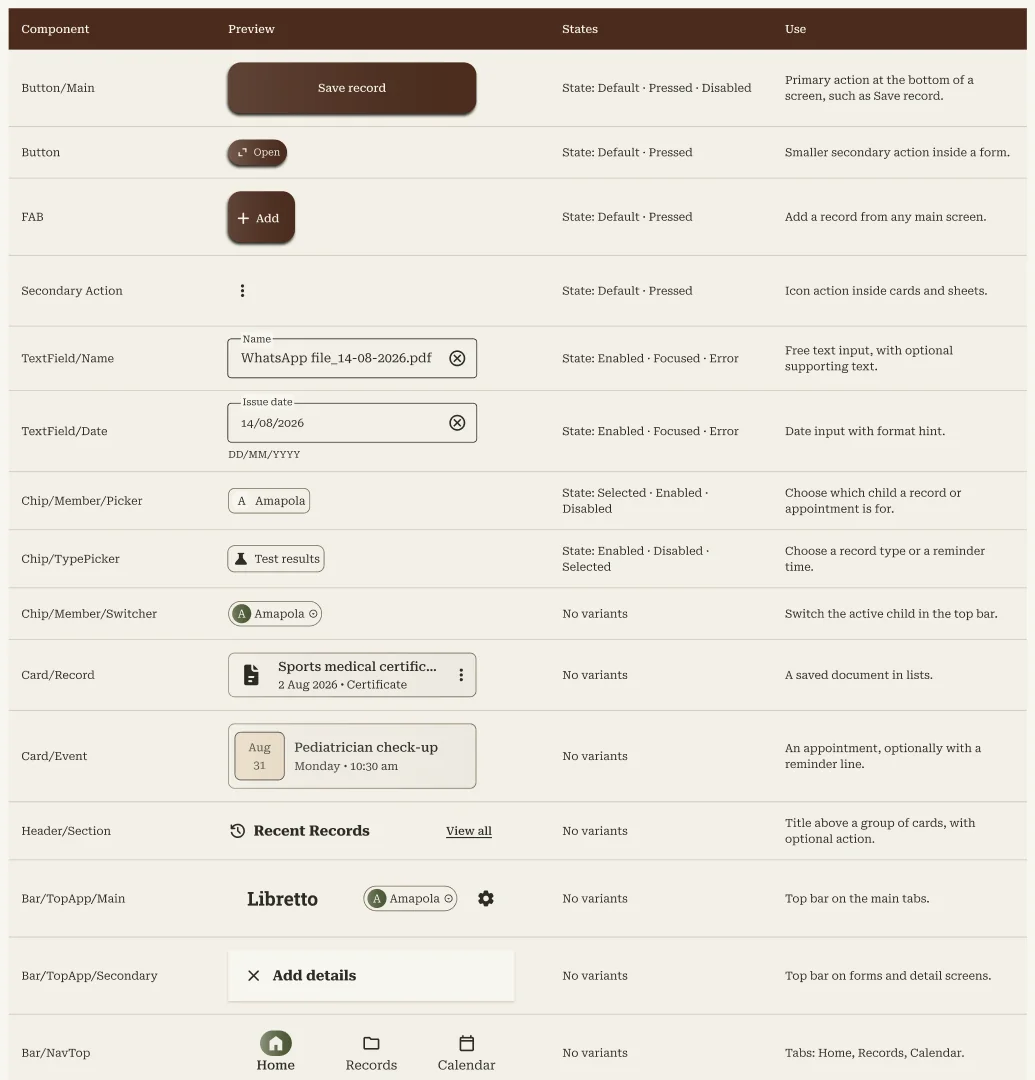
43 components built in three levels (main component, nested component, icon slot), with colour, type and spacing stored as Figma variables and styles.
See the components and layout tokens
🚧 Limits and what I haven't explored yet
Not explored yet
These are questions I haven't answered, not a to-do list.
Do the new flows work for parents?
Nobody has tested the redesigned flows on a real phone, and I haven't spoken to a parent about them yet.
Does Search help with real volume?
It only ever held one record. I don't know how it behaves with 6 to 8 records across two children.
What do parents need to know about privacy?
2 of 4 raised data transparency. Controlled sharing and plain-language privacy are not designed yet.
How should printing work for Pablo?
His need to print a paper backup is documented but not designed.
Are the touch targets big enough?
The 32 px filter chips are below Material's 48 px minimum.
Does it work with a screen reader and large text?
Neither has been checked yet.
🌱 What I learned
Solve before you draw
My first wireframes were hard because I was collecting parts, not answering a question. Now I start with what each screen has to solve.
People remember places
I'd never have guessed that everyone wanted to see where a file comes from and where it goes. Testing early found it.
The setup is part of the design
One seeded record and an unexplained name ("Who is Amapola?") cost me evidence. I'll prepare the data and script as carefully as the screens.